
Beats
-


Beats Studio Pro - Wireless Bluetooth Noise Cancelling Headphones Matt Black
Beats Studio Pro - Wireless Bluetooth Noise Cancelling Headphones - Personalized Spatial Audio, USB-C Lossless Audio, Apple & Android Compatibility, Up to 40 Hours Battery Life - Matt Black BEATS' CUSTOM ACOUSTIC PLATFORM delivers rich, immersive sound whether you’re listening to music or taking calls. LOSSLESS AUDIO via USB-C plus three distinct built-in sound profiles to enhance your listening experience HEAR WHAT YOU WANT with two distinct listening modes: fully-adaptive Active Noise Cancelling (ANC) and Transparency mode ENHANCED COMPATIBILITY with one-touch pairing and a robust set of native Apple and Android features PERSONALIZED SPATIAL AUDIO with dynamic head tracking place you at the center of an immersive 360-degree listening experience LONGER LISTENING - Up to 40 hours total battery life. A 10-minute Fast Fuel charge provides up to 4 hours of additional playback. LOUD AND CLEAR - Voice-targeting mics precisely filter background noise for crisp, clear call performance ON DEVICE CONTROLS - Take calls, control your music, and activate Siri with the multi-function on-ear controls WIRELESSLY CONNECT to more devices with Industry-leading wireless Class 1 Bluetooth for extended range and fewer dropouts WHAT'S IN THE BOX: Beats Studio Pro Wireless headphones, Woven carrying case, 3.5mm audio cable, Universal USB-C charging cable, Quick Start Guide, Warranty Card
Dhs. 1,050.00
-


Beats Studio Pro - Wireless Bluetooth Noise Cancelling Headphones Sandstone Beige
Beats Studio Pro - Wireless Bluetooth Noise Cancelling Headphones - Personalized Spatial Audio, USB-C Lossless Audio, Apple & Android Compatibility, Up to 40 Hours Battery Life -Sandstone Beige BEATS' CUSTOM ACOUSTIC PLATFORM delivers rich, immersive sound whether you’re listening to music or taking calls. LOSSLESS AUDIO via USB-C plus three distinct built-in sound profiles to enhance your listening experience HEAR WHAT YOU WANT with two distinct listening modes: fully-adaptive Active Noise Cancelling (ANC) and Transparency mode ENHANCED COMPATIBILITY with one-touch pairing and a robust set of native Apple and Android features PERSONALIZED SPATIAL AUDIO with dynamic head tracking place you at the center of an immersive 360-degree listening experience LONGER LISTENING - Up to 40 hours total battery life. A 10-minute Fast Fuel charge provides up to 4 hours of additional playback. LOUD AND CLEAR - Voice-targeting mics precisely filter background noise for crisp, clear call performance ON DEVICE CONTROLS - Take calls, control your music, and activate Siri with the multi-function on-ear controls WIRELESSLY CONNECT to more devices with Industry-leading wireless Class 1 Bluetooth for extended range and fewer dropouts WHAT'S IN THE BOX: Beats Studio Pro Wireless headphones, Woven carrying case, 3.5mm audio cable, Universal USB-C charging cable, Quick Start Guide, Warranty Card
Dhs. 1,050.00
-


Beats Studio Pro - Wireless Bluetooth Noise Cancelling Headphones Navy Blue
Beats Studio Pro - Wireless Bluetooth Noise Cancelling Headphones - Personalized Spatial Audio, USB-C Lossless Audio, Apple & Android Compatibility, Up to 40 Hours Battery Life - Navy Blue BEATS' CUSTOM ACOUSTIC PLATFORM delivers rich, immersive sound whether you’re listening to music or taking calls. LOSSLESS AUDIO via USB-C plus three distinct built-in sound profiles to enhance your listening experience HEAR WHAT YOU WANT with two distinct listening modes: fully-adaptive Active Noise Cancelling (ANC) and Transparency mode ENHANCED COMPATIBILITY with one-touch pairing and a robust set of native Apple and Android features PERSONALIZED SPATIAL AUDIO with dynamic head tracking place you at the center of an immersive 360-degree listening experience LONGER LISTENING - Up to 40 hours total battery life. A 10-minute Fast Fuel charge provides up to 4 hours of additional playback. LOUD AND CLEAR - Voice-targeting mics precisely filter background noise for crisp, clear call performance ON DEVICE CONTROLS - Take calls, control your music, and activate Siri with the multi-function on-ear controls WIRELESSLY CONNECT to more devices with Industry-leading wireless Class 1 Bluetooth for extended range and fewer dropouts WHAT'S IN THE BOX: Beats Studio Pro Wireless headphones, Woven carrying case, 3.5mm audio cable, Universal USB-C charging cable, Quick Start Guide, Warranty Card
Dhs. 1,050.00
-


Beats Studio Pro - Wireless Bluetooth Noise Cancelling Headphones Deep Brown
Beats Studio Pro - Wireless Bluetooth Noise Cancelling Headphones - Personalized Spatial Audio, USB-C Lossless Audio, Apple & Android Compatibility, Up to 40 Hours Battery Life -Mat Black BEATS' CUSTOM ACOUSTIC PLATFORM delivers rich, immersive sound whether you’re listening to music or taking calls. LOSSLESS AUDIO via USB-C plus three distinct built-in sound profiles to enhance your listening experience HEAR WHAT YOU WANT with two distinct listening modes: fully-adaptive Active Noise Cancelling (ANC) and Transparency mode ENHANCED COMPATIBILITY with one-touch pairing and a robust set of native Apple and Android features PERSONALIZED SPATIAL AUDIO with dynamic head tracking place you at the center of an immersive 360-degree listening experience LONGER LISTENING - Up to 40 hours total battery life. A 10-minute Fast Fuel charge provides up to 4 hours of additional playback. LOUD AND CLEAR - Voice-targeting mics precisely filter background noise for crisp, clear call performance ON DEVICE CONTROLS - Take calls, control your music, and activate Siri with the multi-function on-ear controls WIRELESSLY CONNECT to more devices with Industry-leading wireless Class 1 Bluetooth for extended range and fewer dropouts WHAT'S IN THE BOX: Beats Studio Pro Wireless headphones, Woven carrying case, 3.5mm audio cable, Universal USB-C charging cable, Quick Start Guide, Warranty Card
Dhs. 1,050.00
-


Beats Solo 4 – Wireless Bluetooth On-Ear Headphones Slate Blue
Beats Solo 4 – Wireless Bluetooth On-Ear Headphones, Apple & Android Compatible, Up to 50 hours of Battery Life – Slate Blue Custom acoustic architecture and updated drivers for powerful Beats sound. Personalised spatial audio with dynamic head tracking. Ultralight ergonomic design for all-day comfort. Flex-grip headband and ergonomically angled, adjustable ear cups for a stable fit. UltraPlush ear cushions are designed for comfort and durability. Up to 50 hours of battery life. Fast Fuel means a quick ten-minute charge gives up to five hours of playback. High-resolution lossless audio via USB-C or 3.5mm audio cable. Dual compatibility including one-touch pairing for both iOS and Android. High-quality call performance and voice assistant interaction via built-in microphone. Industry-leading Class 1 Bluetooth for extended range and fewer dropouts. Frequently Asked Questions How do I pair with my iPhone? Pairing mode is automatically enabled the first time you turn on your Beats Solo 4. To pair an iPhone running the latest iOS, simply hold the headphones near an unlocked phone and follow the on-screen instructions. Alternatively, go to the Bluetooth menu and select “Beats Solo 4”. How do I pair with my Android device? Pairing mode is automatically enabled the first time you turn on your Beats Solo 4. To pair using Google Fast Pair, a one-touch pairing on-screen prompt will appear on your Android device. For older Android devices or to pair manually, use the Beats app or pair in the Bluetooth menu by selecting “Beats Solo 4”. To download the Beats app, visit the Google Play store or download directly from beatsbydre.com. How do I pair with additional Bluetooth devices? To initiate pairing mode again, hold down the Power button on the right ear cup until the LED light on the left ear cup begins to flash white. Beats Solo 4 are now in pairing mode and can be paired to any standard Bluetooth device. How do I activate Siri or other voice assistants? On Apple devices, you can activate Siri hands-free by saying, “Hey Siri”. Alternatively, press and hold the “b” button to activate your voice assistant on your iOS or Android device. Do my headphones have a microphone? Beats Solo 4 have two digital beam-forming microphones powered by an advanced voice-learning algorithm for voice targeting and noise suppression. The algorithm was tested in over 7,000 hours of noisy environments to better isolate your voice. Can I control calls from my headphones? Yes, Beats Solo 4 feature controls built into the left ear cup. Use the “b” button to answer or decline incoming calls – one press to answer, two presses to decline. While on a call, one press will mute and unmute, while two presses will end the call. Can I control my music from my headphones? Yes, Beats Solo 4 feature controls built into the left ear cup. Use the “b” button to control playback – one press to play or pause, two presses to skip to the next track or three presses to go back. Press above and below the “b” button to turn the volume up and down. Are my headphones noise-cancelling? No, Beats Solo 4 do not feature Active Noise Cancelling (ANC). Beats Studio Pro offer both ANC and Transparency mode in an over-ear design. Do my headphones have spatial audio? Beats Solo 4 have personalised spatial audio with dynamic head tracking and use built-in gyroscopes and accelerometers to surround you with sound as you move, creating a truly immersive listening experience on Apple platforms. You can customise your spatial audio in your iOS settings by going to Settings > Personalised Spatial Audio and following the on-screen instructions. Can I plug my headphones into a non-Bluetooth device with an aux cable? You can listen to high-resolution lossless audio via a USB-C or a 3.5mm audio cable. Listening via a 3.5mm audio cable requires zero battery power. How do I charge my headphones? To charge your Beats Solo 4, connect the headphones to a power source using the included USB-C cable. (Note: The USB-C power adapter is sold separately.) The LED light will illuminate while the headphones are charging. How long does the battery last for? Beats Solo 4 have up to 50 hours of battery life – plus endless lossless audio when listening via the 3.5mm audio cable. If you’re low on power, Fast Fuel means a 10-minute charge gives up to 5 hours of playback. How can I keep my product up to date? Software updates will occasionally be made available to enable new features or improve the product experience. These “silent” updates are automatically enabled when connected to an Apple device. To stay up to date on an Android device, download the Beats app from Google Play.
Dhs. 520.00
-


Beats Solo 4 – Wireless Bluetooth On-Ear Headphones, Matt Black
Beats Solo 4 – Wireless Bluetooth On-Ear Headphones, Apple & Android Compatible, Up to 50 hours of Battery Life – Matt Black Custom acoustic architecture and updated drivers for powerful Beats sound. Personalised spatial audio with dynamic head tracking. Ultralight ergonomic design for all-day comfort. Flex-grip headband and ergonomically angled, adjustable ear cups for a stable fit. UltraPlush ear cushions are designed for comfort and durability. Up to 50 hours of battery life. Fast Fuel means a quick ten-minute charge gives up to five hours of playback. High-resolution lossless audio via USB-C or 3.5mm audio cable. Dual compatibility including one-touch pairing for both iOS and Android. High-quality call performance and voice assistant interaction via built-in microphone. Industry-leading Class 1 Bluetooth for extended range and fewer dropouts. Frequently Asked Questions How do I pair with my iPhone? Pairing mode is automatically enabled the first time you turn on your Beats Solo 4. To pair an iPhone running the latest iOS, simply hold the headphones near an unlocked phone and follow the on-screen instructions. Alternatively, go to the Bluetooth menu and select “Beats Solo 4”. How do I pair with my Android device? Pairing mode is automatically enabled the first time you turn on your Beats Solo 4. To pair using Google Fast Pair, a one-touch pairing on-screen prompt will appear on your Android device. For older Android devices or to pair manually, use the Beats app or pair in the Bluetooth menu by selecting “Beats Solo 4”. To download the Beats app, visit the Google Play store or download directly from beatsbydre.com. How do I pair with additional Bluetooth devices? To initiate pairing mode again, hold down the Power button on the right ear cup until the LED light on the left ear cup begins to flash white. Beats Solo 4 are now in pairing mode and can be paired to any standard Bluetooth device. How do I activate Siri or other voice assistants? On Apple devices, you can activate Siri hands-free by saying, “Hey Siri”. Alternatively, press and hold the “b” button to activate your voice assistant on your iOS or Android device. Do my headphones have a microphone? Beats Solo 4 have two digital beam-forming microphones powered by an advanced voice-learning algorithm for voice targeting and noise suppression. The algorithm was tested in over 7,000 hours of noisy environments to better isolate your voice. Can I control calls from my headphones? Yes, Beats Solo 4 feature controls built into the left ear cup. Use the “b” button to answer or decline incoming calls – one press to answer, two presses to decline. While on a call, one press will mute and unmute, while two presses will end the call. Can I control my music from my headphones? Yes, Beats Solo 4 feature controls built into the left ear cup. Use the “b” button to control playback – one press to play or pause, two presses to skip to the next track or three presses to go back. Press above and below the “b” button to turn the volume up and down. Are my headphones noise-cancelling? No, Beats Solo 4 do not feature Active Noise Cancelling (ANC). Beats Studio Pro offer both ANC and Transparency mode in an over-ear design. Do my headphones have spatial audio? Beats Solo 4 have personalised spatial audio with dynamic head tracking and use built-in gyroscopes and accelerometers to surround you with sound as you move, creating a truly immersive listening experience on Apple platforms. You can customise your spatial audio in your iOS settings by going to Settings > Personalised Spatial Audio and following the on-screen instructions. Can I plug my headphones into a non-Bluetooth device with an aux cable? You can listen to high-resolution lossless audio via a USB-C or a 3.5mm audio cable. Listening via a 3.5mm audio cable requires zero battery power. How do I charge my headphones? To charge your Beats Solo 4, connect the headphones to a power source using the included USB-C cable. (Note: The USB-C power adapter is sold separately.) The LED light will illuminate while the headphones are charging. How long does the battery last for? Beats Solo 4 have up to 50 hours of battery life – plus endless lossless audio when listening via the 3.5mm audio cable. If you’re low on power, Fast Fuel means a 10-minute charge gives up to 5 hours of playback. How can I keep my product up to date? Software updates will occasionally be made available to enable new features or improve the product experience. These “silent” updates are automatically enabled when connected to an Apple device. To stay up to date on an Android device, download the Beats app from Google Play.
Dhs. 590.00
-


Beats Solo 4 – Wireless Bluetooth On-Ear Headphones Cloud Pink
Beats Solo 4 – Wireless Bluetooth On-Ear Headphones, Apple & Android Compatible, Up to 50 hours of Battery Life – Cloud Pink Custom acoustic architecture and updated drivers for powerful Beats sound. Personalised spatial audio with dynamic head tracking. Ultralight ergonomic design for all-day comfort. Flex-grip headband and ergonomically angled, adjustable ear cups for a stable fit. UltraPlush ear cushions are designed for comfort and durability. Up to 50 hours of battery life. Fast Fuel means a quick ten-minute charge gives up to five hours of playback. High-resolution lossless audio via USB-C or 3.5mm audio cable. Dual compatibility including one-touch pairing for both iOS and Android. High-quality call performance and voice assistant interaction via built-in microphone. Industry-leading Class 1 Bluetooth for extended range and fewer dropouts. Frequently Asked Questions How do I pair with my iPhone? Pairing mode is automatically enabled the first time you turn on your Beats Solo 4. To pair an iPhone running the latest iOS, simply hold the headphones near an unlocked phone and follow the on-screen instructions. Alternatively, go to the Bluetooth menu and select “Beats Solo 4”. How do I pair with my Android device? Pairing mode is automatically enabled the first time you turn on your Beats Solo 4. To pair using Google Fast Pair, a one-touch pairing on-screen prompt will appear on your Android device. For older Android devices or to pair manually, use the Beats app or pair in the Bluetooth menu by selecting “Beats Solo 4”. To download the Beats app, visit the Google Play store or download directly from beatsbydre.com. How do I pair with additional Bluetooth devices? To initiate pairing mode again, hold down the Power button on the right ear cup until the LED light on the left ear cup begins to flash white. Beats Solo 4 are now in pairing mode and can be paired to any standard Bluetooth device. How do I activate Siri or other voice assistants? On Apple devices, you can activate Siri hands-free by saying, “Hey Siri”. Alternatively, press and hold the “b” button to activate your voice assistant on your iOS or Android device. Do my headphones have a microphone? Beats Solo 4 have two digital beam-forming microphones powered by an advanced voice-learning algorithm for voice targeting and noise suppression. The algorithm was tested in over 7,000 hours of noisy environments to better isolate your voice. Can I control calls from my headphones? Yes, Beats Solo 4 feature controls built into the left ear cup. Use the “b” button to answer or decline incoming calls – one press to answer, two presses to decline. While on a call, one press will mute and unmute, while two presses will end the call. Can I control my music from my headphones? Yes, Beats Solo 4 feature controls built into the left ear cup. Use the “b” button to control playback – one press to play or pause, two presses to skip to the next track or three presses to go back. Press above and below the “b” button to turn the volume up and down. Are my headphones noise-cancelling? No, Beats Solo 4 do not feature Active Noise Cancelling (ANC). Beats Studio Pro offer both ANC and Transparency mode in an over-ear design. Do my headphones have spatial audio? Beats Solo 4 have personalised spatial audio with dynamic head tracking and use built-in gyroscopes and accelerometers to surround you with sound as you move, creating a truly immersive listening experience on Apple platforms. You can customise your spatial audio in your iOS settings by going to Settings > Personalised Spatial Audio and following the on-screen instructions. Can I plug my headphones into a non-Bluetooth device with an aux cable? You can listen to high-resolution lossless audio via a USB-C or a 3.5mm audio cable. Listening via a 3.5mm audio cable requires zero battery power. How do I charge my headphones? To charge your Beats Solo 4, connect the headphones to a power source using the included USB-C cable. (Note: The USB-C power adapter is sold separately.) The LED light will illuminate while the headphones are charging. How long does the battery last for? Beats Solo 4 have up to 50 hours of battery life – plus endless lossless audio when listening via the 3.5mm audio cable. If you’re low on power, Fast Fuel means a 10-minute charge gives up to 5 hours of playback. How can I keep my product up to date? Software updates will occasionally be made available to enable new features or improve the product experience. These “silent” updates are automatically enabled when connected to an Apple device. To stay up to date on an Android device, download the Beats app from Google Play.
Dhs. 520.00
-
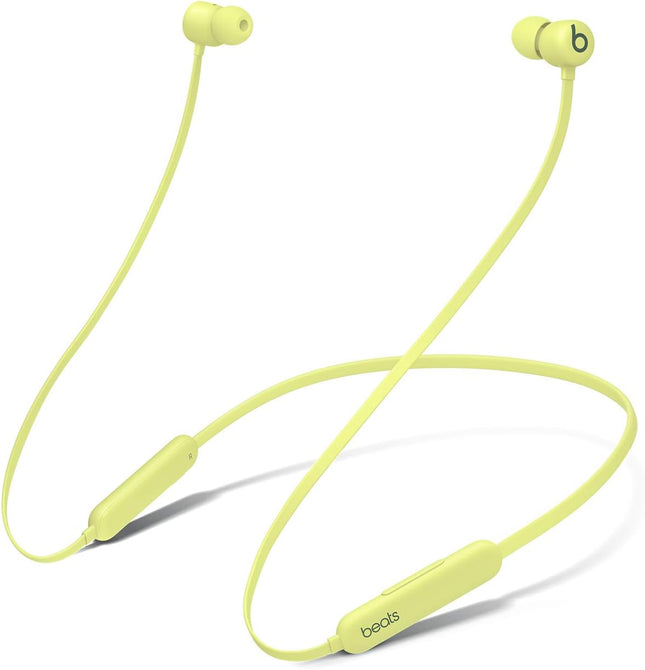
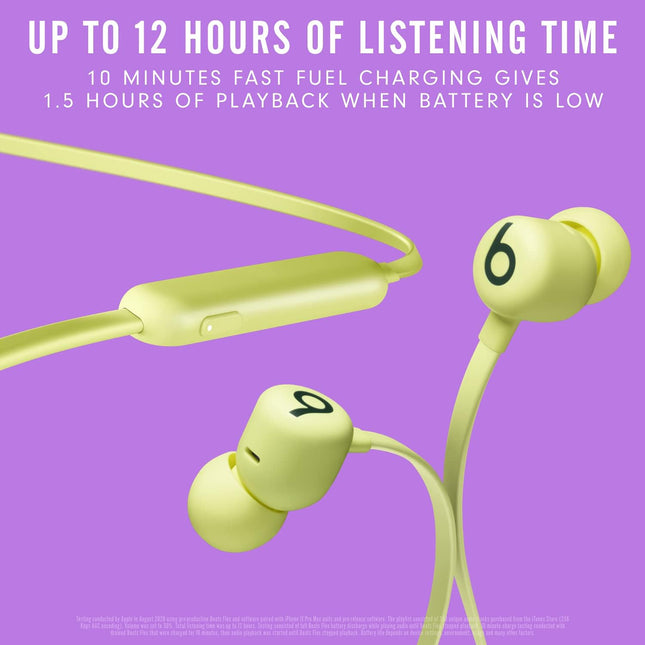
Beats Flex Wireless Magnetic Neckband, Class 1 Bluetooth Yellow
Beats Flex Wireless Neckband Earphones – Apple W1 Headphone Chip, Magnetic Earbuds, Class 1 Bluetooth, 12 Hours of Listening Time, Built-in Microphone - Yellow Magnetic earbuds with Auto-Play/Pause Up to 12 hours of listening time All-day comfort with Flex-Form cable and four eartip options Powered by the Apple W1 headphone chip for seamless connectivity Audio Sharing lets you wirelessly share audio with another pair of Beats headphones or AirPods Class 1 Bluetooth for extended range and fewer dropouts On-device controls for music, calls, and voice assistant Built-in microphone with wind reduction for elevated voice clarity Compatible with Apple and Android What’s in the box: Beats Flex wireless earphones, USB-C to USB-C charging cable, Eartips with four size options, Quick Start Guide, Warranty card
Dhs. 299.00
-
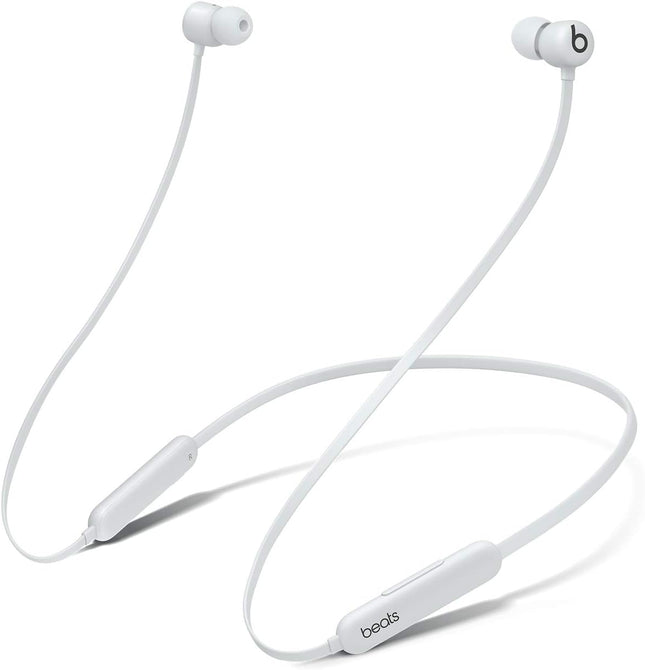
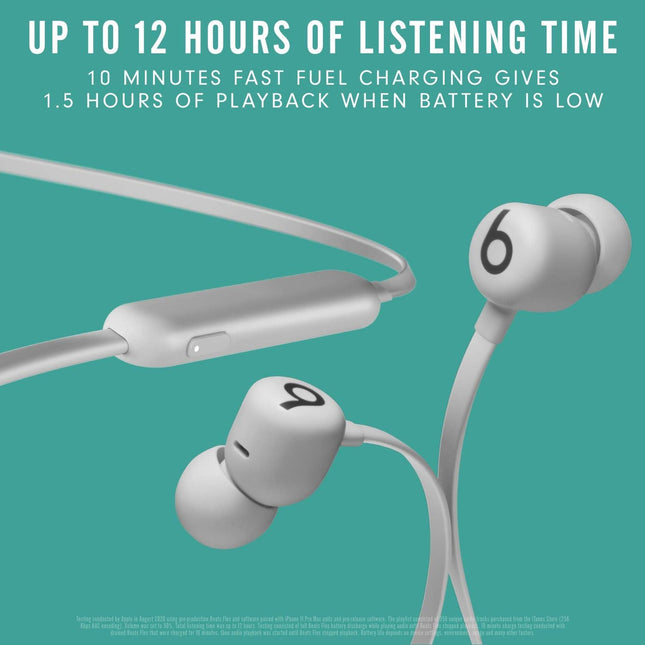
Beats Flex Wireless Magnetic Neckband, Class 1 Bluetooth Grey
Beats Flex Wireless Neckband Earphones – Apple W1 Headphone Chip, Magnetic Earbuds, Class 1 Bluetooth, 12 Hours of Listening Time, Built-in Microphone - Smoke Grey Magnetic earbuds with Auto-Play/Pause Up to 12 hours of listening time All-day comfort with Flex-Form cable and four eartip options Powered by the Apple W1 headphone chip for seamless connectivity Audio Sharing lets you wirelessly share audio with another pair of Beats headphones or AirPods Class 1 Bluetooth for extended range and fewer dropouts On-device controls for music, calls, and voice assistant Built-in microphone with wind reduction for elevated voice clarity Compatible with Apple and Android What’s in the box: Beats Flex wireless earphones, USB-C to USB-C charging cable, Eartips with four size options, Quick Start Guide, Warranty card
Dhs. 299.00
-
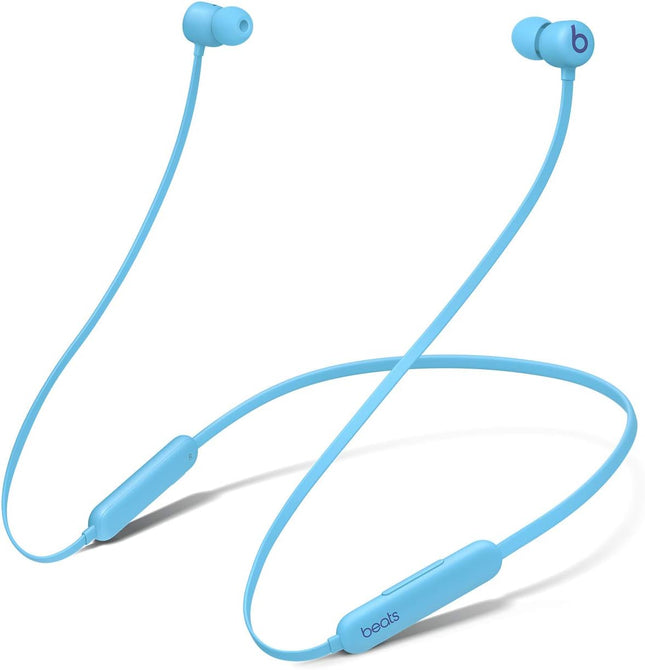
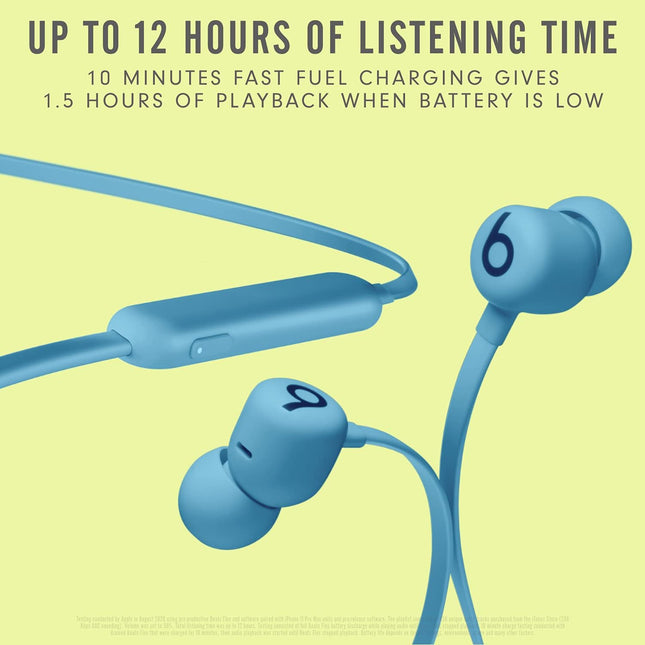
Beats Flex Wireless Magnetic Neckband Earphones, Class 1 Bluetooth Blue
Beats Flex Wireless Neckband Earphones – Apple W1 Headphone Chip, Magnetic Earbuds, Class 1 Bluetooth, 12 Hours of Listening Time, Built-in Microphone - Flame Blue Magnetic earbuds with Auto-Play/Pause Up to 12 hours of listening time All-day comfort with Flex-Form cable and four eartip options Powered by the Apple W1 headphone chip for seamless connectivity Audio Sharing lets you wirelessly share audio with another pair of Beats headphones or AirPods Class 1 Bluetooth for extended range and fewer dropouts On-device controls for music, calls, and voice assistant Built-in microphone with wind reduction for elevated voice clarity Compatible with Apple and Android What’s in the box: Beats Flex wireless earphones, USB-C to USB-C charging cable, Eartips with four size options, Quick Start Guide, Warranty card
Dhs. 299.00
-
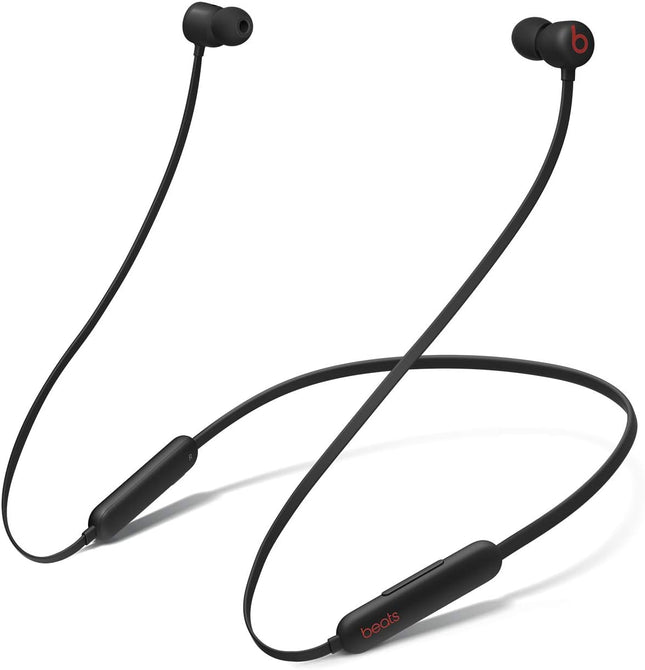
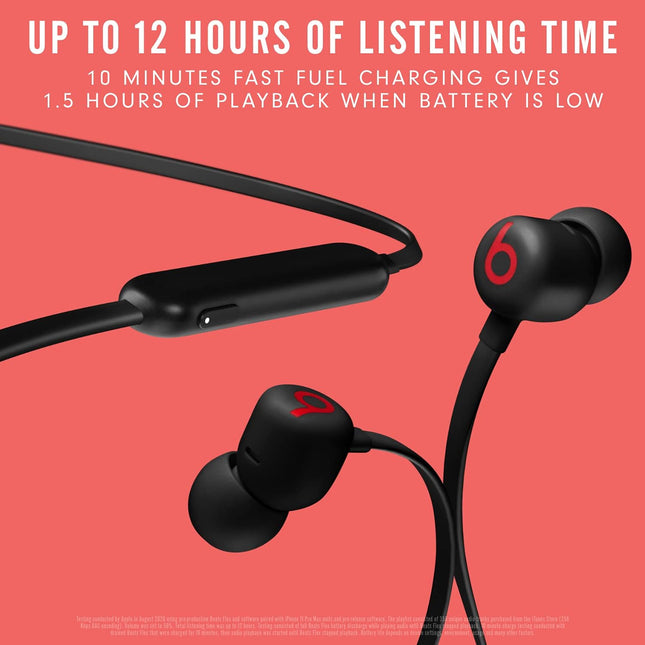
Beats Flex Wireless Magnetic Neckband, Class 1 Bluetooth Black
Beats Flex Wireless Neckband Earphones – Apple W1 Headphone Chip, Magnetic Earbuds, Class 1 Bluetooth, 12 Hours of Listening Time, Built-in Microphone - Beats Black Magnetic earbuds with Auto-Play/Pause Up to 12 hours of listening time All-day comfort with Flex-Form cable and four eartip options Powered by the Apple W1 headphone chip for seamless connectivity Audio Sharing lets you wirelessly share audio with another pair of Beats headphones or AirPods Class 1 Bluetooth for extended range and fewer dropouts On-device controls for music, calls, and voice assistant Built-in microphone with wind reduction for elevated voice clarity Compatible with Apple and Android What’s in the box: Beats Flex wireless earphones, USB-C to USB-C charging cable, Eartips with four size options, Quick Start Guide, Warranty card
Dhs. 299.00
-
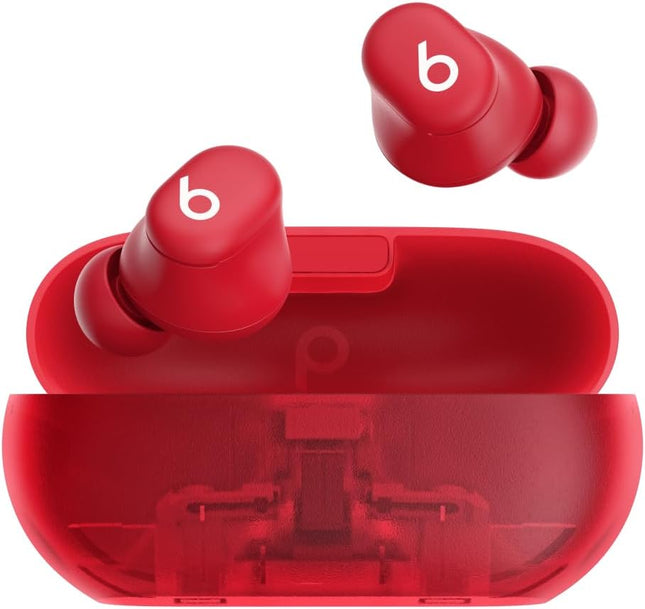
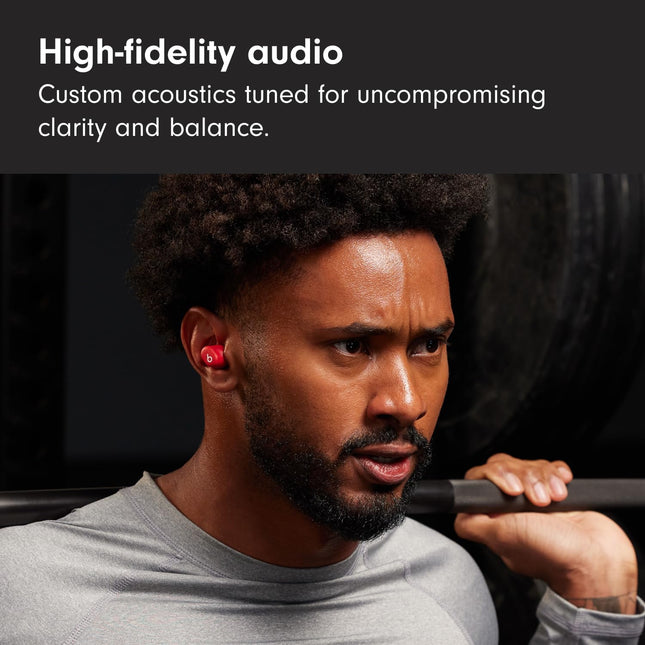
Beats Solo Buds — Wireless Bluetooth Earbuds Transparent Red
Beats Solo Buds — Wireless Bluetooth Earbuds | 18 Hours of Battery Life | Apple & Android Compatibility | Built-in Microphone - Transparent Red Up to 18 hours of battery life. Fast Fuel, a 5-minute charge, gives up to 1 hour of playback. POWER ADAPTER AND USB-C CHARGING CABLE SOLD SEPARATELY. Custom acoustic architecture for big Beats sound with full range and clarity. The smallest case we’ve ever made, making these powerful earbuds the perfect on-the-go companion. Dual-layer drivers minimize distortion, ensuring high-fidelity sound. Purposefully positioned axial-aligned drivers deliver sound directly to your ears. Laser-cut vents further improve audio performance while relieving pressure for added comfort. Charge directly from your phone, tablet or laptop for extra power on the go. Dual compatibility for iOS and Android devices including seamless one-touch pairing. Each earbud features custom-designed microphones powered by an advanced noise-learning algorithm for exceptional call quality. Extended range and fewer dropouts thanks to industry-leading Class 1 Bluetooth . Frequently Asked Questions How do I out-of-the-box pair my Solo Buds with my iPhone? To pair on an iPhone running the latest iOS, first make sure both earbuds are placed correctly in their case. Open the lid of the case near your iPhone until you see a pairing prompt appear on your phone, then tap to pair. An audio cue will play when your Beats are ready to pair. Or go to the Bluetooth menu and select “Beats Solo Buds”. How do I pair with my Android device? To pair using Google Fast Pair, a one-touch pairing on-screen prompt will appear on your Android device. For older Android devices or to pair manually, use the Beats app or pair in the Bluetooth menu by selecting “Beats Solo Buds”. To download the Beats app, visit the Google Play store or download from beatsbydre.com.To resolve pairing issues, please ensure that your compatible device is running the latest available operating system software. For Beats app for Android users, download the latest version of the Beats app (2.9 or later). How do I pair with additional Bluetooth devices? To pair with additional devices, press and hold the “b” button on either the left or right earbud with the earbuds placed in the case to initiate pairing mode. An audio cue will play when your Beats are ready to pair. Or go to the Bluetooth menu and select “Beats Solo Buds”. Do they have noise cancelling? No, Beats Solo Buds do not feature Active Noise Cancelling (ANC). Beats Studio Buds+ offer both ANC and Transparency mode in a similar design. How do I charge them? To charge your Beats Solo Buds, place them in the case and connect your case to a power source using a USB-C charging cable. (Note: The USB-C cable and power adapter are sold separately.) An audio cue will play when the cable is connected to confirm that your Solo Buds are charging. To check the charging status, open the lid of the case near your phone. A pop-up will appear on your phone to indicate the current battery state. How do I turn them on and off? Beats Solo Buds automatically turn on when removed from the case and turn off when placed back in the case with the lid closed. Can I control music from my earbuds? Yes, Beats Solo Buds feature controls built into both earbuds. Use the “b” button to control playback – one press to play or pause, two presses to skip ahead or three presses to go back. Change the press-and-hold settings on your iOS or Android device running the Beats app to convert the “b” buttons into volume controls. (Note: This setting replaces “Voice Assistant”.) Press and hold on one earbud to ramp the volume down and the other earbud to ramp the volume up. How do I improve the comfort, stability and sound quality of my Beats Solo Buds? The earbuds’ ergonomic design features nozzles angled to match the natural shape of the ear canal. Beats Solo Buds come with four ear tip sizes – XS, S, M and L. Medium ear tips come attached to the product. To select the correct ear tip, gently insert the earbud into your ear with ear tip attached. You can adjust the fit of the earbud until it feels secure. Choose the most comfortable pair that provide the best sound experience for you. Do my earbuds have a microphone? Each earbud is equipped with a custom-designed microphone powered by an advanced noise-learning algorithm to help deliver exceptional call quality. Enjoy extended range with fewer dropouts thanks to industry-leading Class 1 Bluetooth connectivity Can I control calls from my earbuds? Yes, Beats Solo Buds feature controls built into both earbuds. Use the “b” button to answer or decline incoming calls – one press to answer, two presses to decline. While on a call, one press will mute and unmute, while two presses will end the call. How do I activate Siri or other voice assistants? Press and hold the “b” button to activate your voice assistant on your iOS or Android device. How long does the battery last? Beats Solo Buds have up to 18 hours of battery life. If you’re low on power, Fast Fuel means a 5-minute charge gives up to 1 hour of playback. How do I keep my product up to date? Software updates will occasionally be made available to enable new features or improve the product experience. These “silent” updates are automatically enabled when connected to an Apple device. To stay up to date on an Android device, download the Beats app from Google Play.
Dhs. 289.00
-
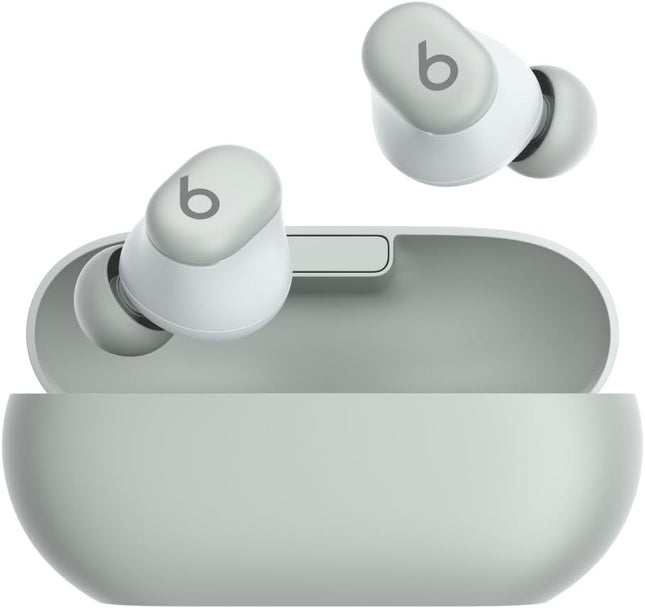
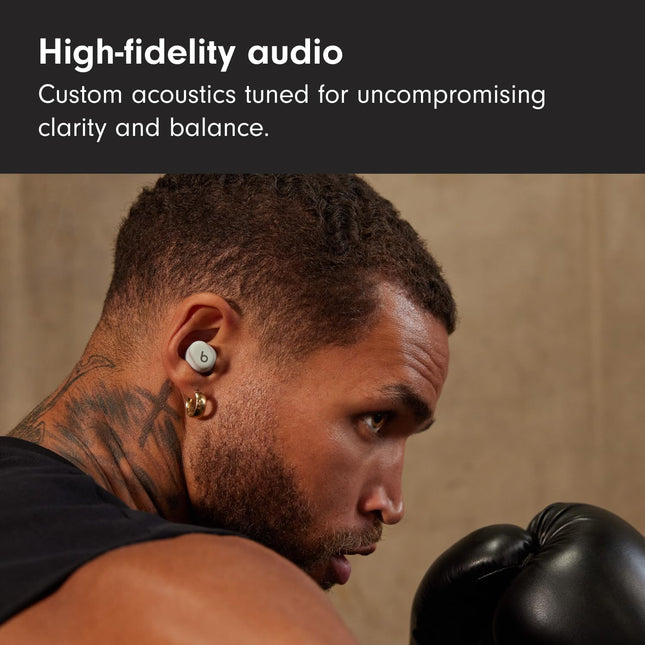
Beats Solo Buds — Wireless Bluetooth Earbuds Storm Grey
Beats Solo Buds — Wireless Bluetooth Earbuds | 18 Hours of Battery Life | Apple & Android Compatibility | Built-in Microphone - Storm Grey Up to 18 hours of battery life. Fast Fuel, a 5-minute charge, gives up to 1 hour of playback. POWER ADAPTER AND USB-C CHARGING CABLE SOLD SEPARATELY. Custom acoustic architecture for big Beats sound with full range and clarity. The smallest case we’ve ever made, making these powerful earbuds the perfect on-the-go companion. Dual-layer drivers minimize distortion, ensuring high-fidelity sound. Purposefully positioned axial-aligned drivers deliver sound directly to your ears. Laser-cut vents further improve audio performance while relieving pressure for added comfort. Charge directly from your phone, tablet or laptop for extra power on the go. Dual compatibility for iOS and Android devices including seamless one-touch pairing. Each earbud features custom-designed microphones powered by an advanced noise-learning algorithm for exceptional call quality. Extended range and fewer dropouts thanks to industry-leading Class 1 Bluetooth . Frequently Asked Questions How do I out-of-the-box pair my Solo Buds with my iPhone? To pair on an iPhone running the latest iOS, first make sure both earbuds are placed correctly in their case. Open the lid of the case near your iPhone until you see a pairing prompt appear on your phone, then tap to pair. An audio cue will play when your Beats are ready to pair. Or go to the Bluetooth menu and select “Beats Solo Buds”. How do I pair with my Android device? To pair using Google Fast Pair, a one-touch pairing on-screen prompt will appear on your Android device. For older Android devices or to pair manually, use the Beats app or pair in the Bluetooth menu by selecting “Beats Solo Buds”. To download the Beats app, visit the Google Play store or download from beatsbydre.com.To resolve pairing issues, please ensure that your compatible device is running the latest available operating system software. For Beats app for Android users, download the latest version of the Beats app (2.9 or later). How do I pair with additional Bluetooth devices? To pair with additional devices, press and hold the “b” button on either the left or right earbud with the earbuds placed in the case to initiate pairing mode. An audio cue will play when your Beats are ready to pair. Or go to the Bluetooth menu and select “Beats Solo Buds”. Do they have noise cancelling? No, Beats Solo Buds do not feature Active Noise Cancelling (ANC). Beats Studio Buds+ offer both ANC and Transparency mode in a similar design. How do I charge them? To charge your Beats Solo Buds, place them in the case and connect your case to a power source using a USB-C charging cable. (Note: The USB-C cable and power adapter are sold separately.) An audio cue will play when the cable is connected to confirm that your Solo Buds are charging. To check the charging status, open the lid of the case near your phone. A pop-up will appear on your phone to indicate the current battery state. How do I turn them on and off? Beats Solo Buds automatically turn on when removed from the case and turn off when placed back in the case with the lid closed. Can I control music from my earbuds? Yes, Beats Solo Buds feature controls built into both earbuds. Use the “b” button to control playback – one press to play or pause, two presses to skip ahead or three presses to go back. Change the press-and-hold settings on your iOS or Android device running the Beats app to convert the “b” buttons into volume controls. (Note: This setting replaces “Voice Assistant”.) Press and hold on one earbud to ramp the volume down and the other earbud to ramp the volume up. How do I improve the comfort, stability and sound quality of my Beats Solo Buds? The earbuds’ ergonomic design features nozzles angled to match the natural shape of the ear canal. Beats Solo Buds come with four ear tip sizes – XS, S, M and L. Medium ear tips come attached to the product. To select the correct ear tip, gently insert the earbud into your ear with ear tip attached. You can adjust the fit of the earbud until it feels secure. Choose the most comfortable pair that provide the best sound experience for you. Do my earbuds have a microphone? Each earbud is equipped with a custom-designed microphone powered by an advanced noise-learning algorithm to help deliver exceptional call quality. Enjoy extended range with fewer dropouts thanks to industry-leading Class 1 Bluetooth connectivity Can I control calls from my earbuds? Yes, Beats Solo Buds feature controls built into both earbuds. Use the “b” button to answer or decline incoming calls – one press to answer, two presses to decline. While on a call, one press will mute and unmute, while two presses will end the call. How do I activate Siri or other voice assistants? Press and hold the “b” button to activate your voice assistant on your iOS or Android device. How long does the battery last? Beats Solo Buds have up to 18 hours of battery life. If you’re low on power, Fast Fuel means a 5-minute charge gives up to 1 hour of playback. How do I keep my product up to date? Software updates will occasionally be made available to enable new features or improve the product experience. These “silent” updates are automatically enabled when connected to an Apple device. To stay up to date on an Android device, download the Beats app from Google Play.
Dhs. 289.00
-
Beats Solo Buds — Wireless Bluetooth Earbuds Matt Black
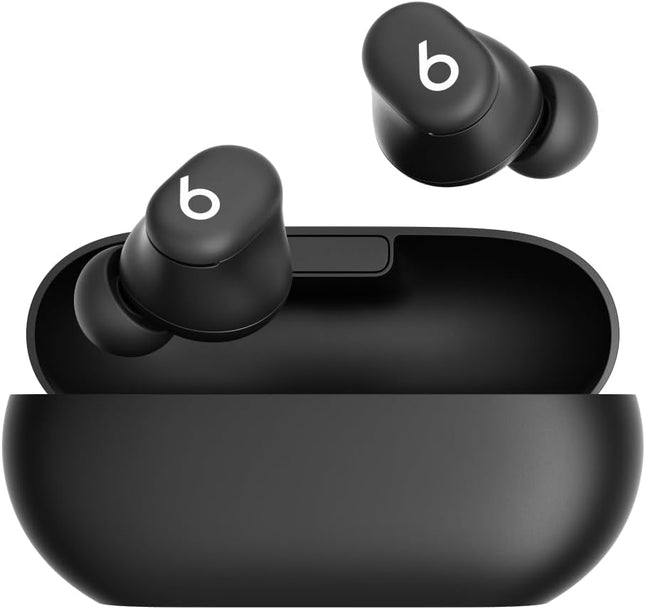
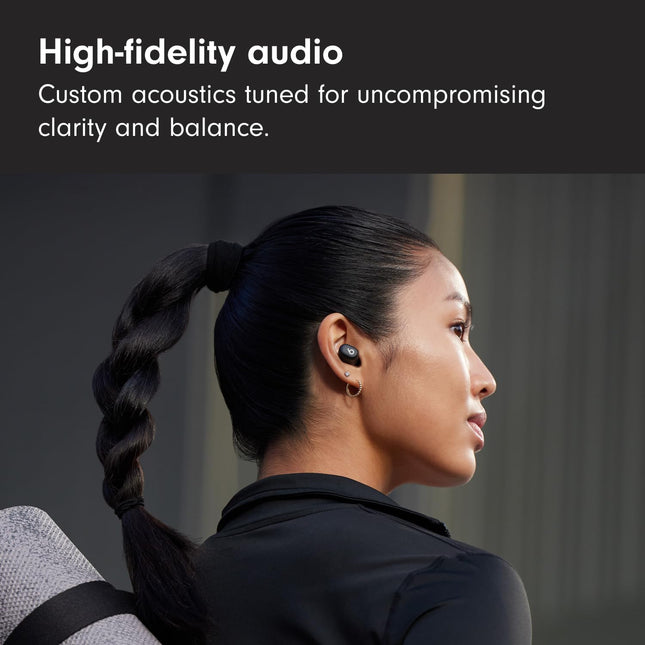
Beats Solo Buds — Wireless Bluetooth Earbuds | 18 Hours of Battery Life | Apple & Android Compatibility | Built-in Microphone - Matt Black Up to 18 hours of battery life. Fast Fuel, a 5-minute charge, gives up to 1 hour of playback. POWER ADAPTER AND USB-C CHARGING CABLE SOLD SEPARATELY. Custom acoustic architecture for big Beats sound with full range and clarity. The smallest case we’ve ever made, making these powerful earbuds the perfect on-the-go companion. Dual-layer drivers minimize distortion, ensuring high-fidelity sound. Purposefully positioned axial-aligned drivers deliver sound directly to your ears. Laser-cut vents further improve audio performance while relieving pressure for added comfort. Charge directly from your phone, tablet or laptop for extra power on the go. Dual compatibility for iOS and Android devices including seamless one-touch pairing. Each earbud features custom-designed microphones powered by an advanced noise-learning algorithm for exceptional call quality. Extended range and fewer dropouts thanks to industry-leading Class 1 Bluetooth . Frequently Asked Questions How do I out-of-the-box pair my Solo Buds with my iPhone? To pair on an iPhone running the latest iOS, first make sure both earbuds are placed correctly in their case. Open the lid of the case near your iPhone until you see a pairing prompt appear on your phone, then tap to pair. An audio cue will play when your Beats are ready to pair. Or go to the Bluetooth menu and select “Beats Solo Buds”. How do I pair with my Android device? To pair using Google Fast Pair, a one-touch pairing on-screen prompt will appear on your Android device. For older Android devices or to pair manually, use the Beats app or pair in the Bluetooth menu by selecting “Beats Solo Buds”. To download the Beats app, visit the Google Play store or download from beatsbydre.com.To resolve pairing issues, please ensure that your compatible device is running the latest available operating system software. For Beats app for Android users, download the latest version of the Beats app (2.9 or later). How do I pair with additional Bluetooth devices? To pair with additional devices, press and hold the “b” button on either the left or right earbud with the earbuds placed in the case to initiate pairing mode. An audio cue will play when your Beats are ready to pair. Or go to the Bluetooth menu and select “Beats Solo Buds”. Do they have noise cancelling? No, Beats Solo Buds do not feature Active Noise Cancelling (ANC). Beats Studio Buds+ offer both ANC and Transparency mode in a similar design. How do I charge them? To charge your Beats Solo Buds, place them in the case and connect your case to a power source using a USB-C charging cable. (Note: The USB-C cable and power adapter are sold separately.) An audio cue will play when the cable is connected to confirm that your Solo Buds are charging. To check the charging status, open the lid of the case near your phone. A pop-up will appear on your phone to indicate the current battery state. How do I turn them on and off? Beats Solo Buds automatically turn on when removed from the case and turn off when placed back in the case with the lid closed. Can I control music from my earbuds? Yes, Beats Solo Buds feature controls built into both earbuds. Use the “b” button to control playback – one press to play or pause, two presses to skip ahead or three presses to go back. Change the press-and-hold settings on your iOS or Android device running the Beats app to convert the “b” buttons into volume controls. (Note: This setting replaces “Voice Assistant”.) Press and hold on one earbud to ramp the volume down and the other earbud to ramp the volume up. How do I improve the comfort, stability and sound quality of my Beats Solo Buds? The earbuds’ ergonomic design features nozzles angled to match the natural shape of the ear canal. Beats Solo Buds come with four ear tip sizes – XS, S, M and L. Medium ear tips come attached to the product. To select the correct ear tip, gently insert the earbud into your ear with ear tip attached. You can adjust the fit of the earbud until it feels secure. Choose the most comfortable pair that provide the best sound experience for you. Do my earbuds have a microphone? Each earbud is equipped with a custom-designed microphone powered by an advanced noise-learning algorithm to help deliver exceptional call quality. Enjoy extended range with fewer dropouts thanks to industry-leading Class 1 Bluetooth connectivity Can I control calls from my earbuds? Yes, Beats Solo Buds feature controls built into both earbuds. Use the “b” button to answer or decline incoming calls – one press to answer, two presses to decline. While on a call, one press will mute and unmute, while two presses will end the call. How do I activate Siri or other voice assistants? Press and hold the “b” button to activate your voice assistant on your iOS or Android device. How long does the battery last? Beats Solo Buds have up to 18 hours of battery life. If you’re low on power, Fast Fuel means a 5-minute charge gives up to 1 hour of playback. How do I keep my product up to date? Software updates will occasionally be made available to enable new features or improve the product experience. These “silent” updates are automatically enabled when connected to an Apple device. To stay up to date on an Android device, download the Beats app from Google Play.
Dhs. 289.00
-
Beats Solo Buds — Wireless Bluetooth Earbuds Arctic Purple
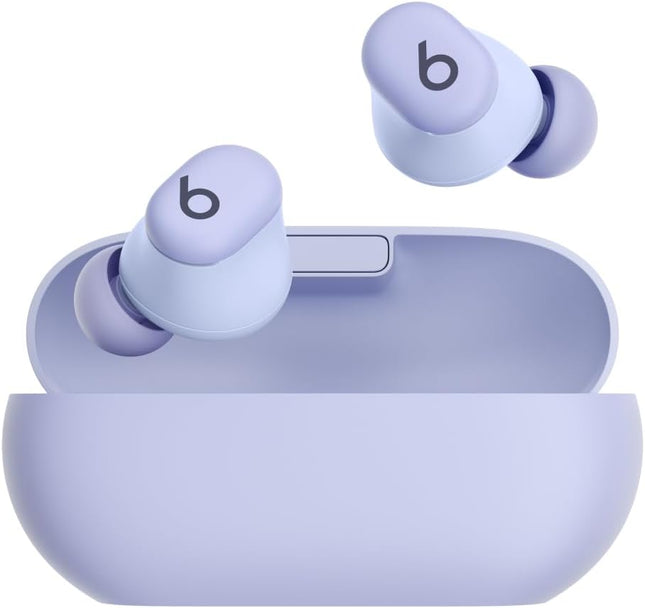
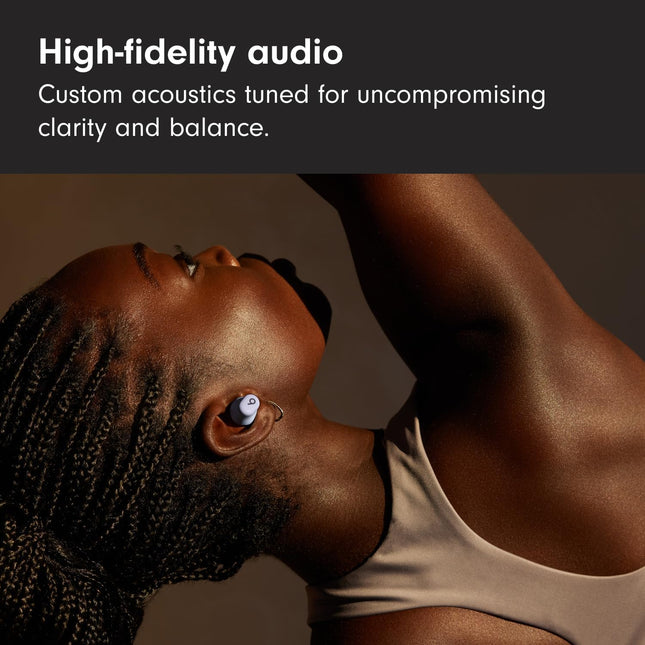
Beats Solo Buds — Wireless Bluetooth Earbuds | 18 Hours of Battery Life | Apple & Android Compatibility | Built-in Microphone - Arctic Purple Up to 18 hours of battery life. Fast Fuel, a 5-minute charge, gives up to 1 hour of playback. POWER ADAPTER AND USB-C CHARGING CABLE SOLD SEPARATELY. Custom acoustic architecture for big Beats sound with full range and clarity. The smallest case we’ve ever made, making these powerful earbuds the perfect on-the-go companion. Dual-layer drivers minimize distortion, ensuring high-fidelity sound. Purposefully positioned axial-aligned drivers deliver sound directly to your ears. Laser-cut vents further improve audio performance while relieving pressure for added comfort. Charge directly from your phone, tablet or laptop for extra power on the go. Dual compatibility for iOS and Android devices including seamless one-touch pairing. Each earbud features custom-designed microphones powered by an advanced noise-learning algorithm for exceptional call quality. Extended range and fewer dropouts thanks to industry-leading Class 1 Bluetooth . Frequently Asked Questions How do I out-of-the-box pair my Solo Buds with my iPhone? To pair on an iPhone running the latest iOS, first make sure both earbuds are placed correctly in their case. Open the lid of the case near your iPhone until you see a pairing prompt appear on your phone, then tap to pair. An audio cue will play when your Beats are ready to pair. Or go to the Bluetooth menu and select “Beats Solo Buds”. How do I pair with my Android device? To pair using Google Fast Pair, a one-touch pairing on-screen prompt will appear on your Android device. For older Android devices or to pair manually, use the Beats app or pair in the Bluetooth menu by selecting “Beats Solo Buds”. To download the Beats app, visit the Google Play store or download from beatsbydre.com.To resolve pairing issues, please ensure that your compatible device is running the latest available operating system software. For Beats app for Android users, download the latest version of the Beats app (2.9 or later). How do I pair with additional Bluetooth devices? To pair with additional devices, press and hold the “b” button on either the left or right earbud with the earbuds placed in the case to initiate pairing mode. An audio cue will play when your Beats are ready to pair. Or go to the Bluetooth menu and select “Beats Solo Buds”. Do they have noise cancelling? No, Beats Solo Buds do not feature Active Noise Cancelling (ANC). Beats Studio Buds+ offer both ANC and Transparency mode in a similar design. How do I charge them? To charge your Beats Solo Buds, place them in the case and connect your case to a power source using a USB-C charging cable. (Note: The USB-C cable and power adapter are sold separately.) An audio cue will play when the cable is connected to confirm that your Solo Buds are charging. To check the charging status, open the lid of the case near your phone. A pop-up will appear on your phone to indicate the current battery state. How do I turn them on and off? Beats Solo Buds automatically turn on when removed from the case and turn off when placed back in the case with the lid closed. Can I control music from my earbuds? Yes, Beats Solo Buds feature controls built into both earbuds. Use the “b” button to control playback – one press to play or pause, two presses to skip ahead or three presses to go back. Change the press-and-hold settings on your iOS or Android device running the Beats app to convert the “b” buttons into volume controls. (Note: This setting replaces “Voice Assistant”.) Press and hold on one earbud to ramp the volume down and the other earbud to ramp the volume up. How do I improve the comfort, stability and sound quality of my Beats Solo Buds? The earbuds’ ergonomic design features nozzles angled to match the natural shape of the ear canal. Beats Solo Buds come with four ear tip sizes – XS, S, M and L. Medium ear tips come attached to the product. To select the correct ear tip, gently insert the earbud into your ear with ear tip attached. You can adjust the fit of the earbud until it feels secure. Choose the most comfortable pair that provide the best sound experience for you. Do my earbuds have a microphone? Each earbud is equipped with a custom-designed microphone powered by an advanced noise-learning algorithm to help deliver exceptional call quality. Enjoy extended range with fewer dropouts thanks to industry-leading Class 1 Bluetooth connectivity Can I control calls from my earbuds? Yes, Beats Solo Buds feature controls built into both earbuds. Use the “b” button to answer or decline incoming calls – one press to answer, two presses to decline. While on a call, one press will mute and unmute, while two presses will end the call. How do I activate Siri or other voice assistants? Press and hold the “b” button to activate your voice assistant on your iOS or Android device. How long does the battery last? Beats Solo Buds have up to 18 hours of battery life. If you’re low on power, Fast Fuel means a 5-minute charge gives up to 1 hour of playback. How do I keep my product up to date? Software updates will occasionally be made available to enable new features or improve the product experience. These “silent” updates are automatically enabled when connected to an Apple device. To stay up to date on an Android device, download the Beats app from Google Play.
Dhs. 289.00
-
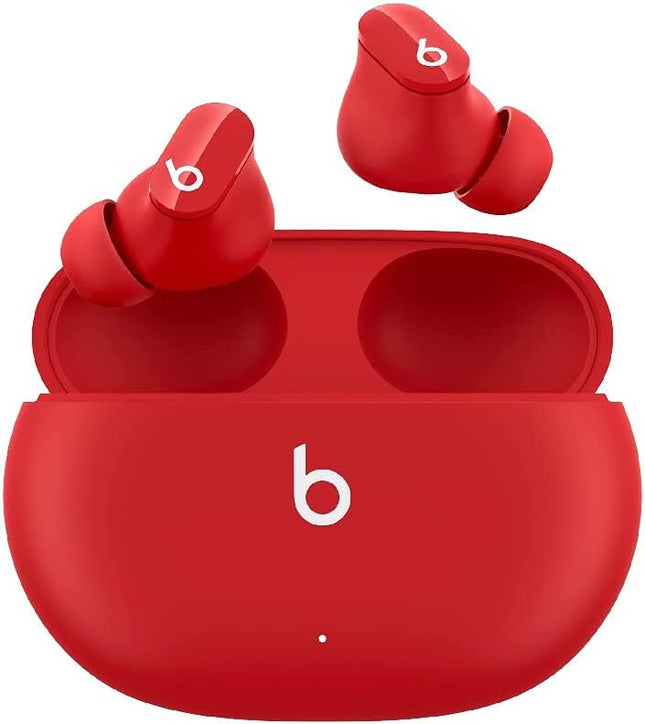
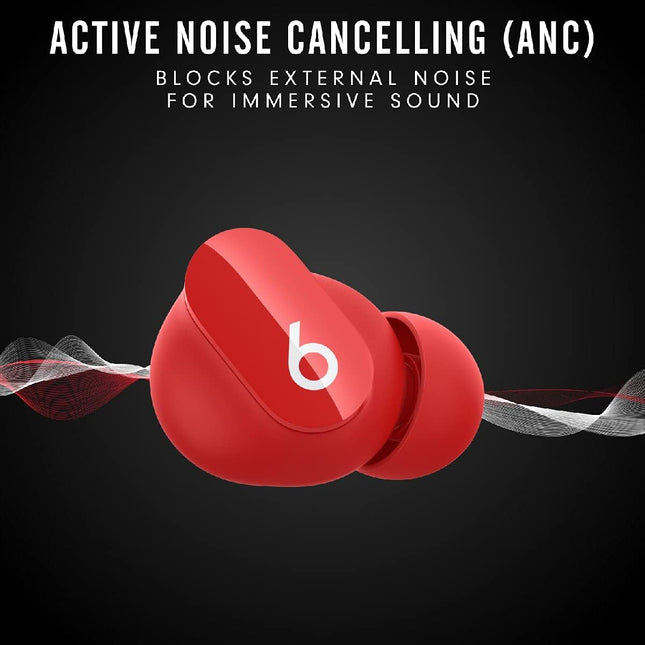
Beats Studio Buds True Wireless Noise Cancelling Earbuds Active Noise Cancelling Red
Beats Studio Buds True Wireless Noise Cancelling Earphones Active Noise Cancelling, IPX4 rating Sweat Resistant Earbuds Compatible with Apple & Android, Class 1 Bluetooth Built in Microphone, Red Custom acoustic platform delivers powerful, balanced sound Control your sound with two distinct listening modes: Active Noise Cancelling (ANC) and Transparency mode Three soft ear tip sizes for a stable and comfortable fit while ensuring an optimum acoustic seal Up to 8 hours of listening time1 (up to 24 hours combined with pocket-sized charging case)2 Industry-leading Class 1 Bluetooth for extended range and fewer dropouts High-quality call performance and voice assistant interaction via built-in microphones IPX4-rated sweat- and water-resistant wireless earbuds. Beats wireless headphones and earphones are compatible with Apple and Android devices What’s in the box – Beats Studio Buds true wireless noise cancelling earphones, charging case, ear tips with three size options, USB-C to USB-C charging cable, Quick Start Guide, warranty card Frequently Asked Questions How do you charge them? Beats Studio Buds can be charged using any standard USB-C cable (one is included). How do you turn them on and off? Beats Studio Buds power on automatically when they are removed from the case, and power off when placed back in the case with the lid closed. Can you control your music? Beats Studio Buds feature a multifunction button on each earbud. Press once to play or pause, twice to skip forwards or three times to skip backwards. How do you control noise cancelling? Hold the multifunction button down to toggle between Active Noise Cancelling (ANC) and Transparency mode. How do I activate Siri or other voice assistants? On Apple devices, you can activate Siri hands-free just by saying “Hey Siri”. Or change the function of the multifunction button to activate your voice assistant within your iOS settings. On Android, download the Beats app to change the function of the multifunction button to activate the default voice assistant on your device. How do I configure the multifunction button? You can configure the multifunction button to either toggle ANC modes or activate voice assistant. To do this in iOS, tap on the product icon in Control Centre and select the “Press and hold” menu to choose your preferred function for each earbud. To do this on Android, download the Beats app from Google Play. Once your product has been paired in the app, select the “Press and hold” menu in the product page to choose your preferred function for each earbud. How long does the battery last for? Beats Studio Buds can provide up to 8 hours of listening time with ANC turned off, or up to 5 hours of listening time with ANC turned on. The case holds two additional charges for a combined total of 24 hours with ANC off, or 15 hours with ANC on. Do they have a microphone? Beats Studio Buds have multiple microphones on each earbud, enabling high-quality call performance. Each earbud has 2 microphones dedicated to ANC and 1 dedicated to voice pick-up. How do I pair with my iPhone? Beats Studio Buds are ready to pair straight out of the box. On an iPhone running the latest iOS, simply open the lid of the case, hold it near your unlocked phone and follow the onscreen instructions. How do I pair with my Android device? On Android, you can pair your product in a single tap using Google Fast Pair. In order to access the feature, you must have Android 6.0 or later, location enabled and access to Google Play Services. If you meet those requirements, simply open the lid of the case, hold it near your unlocked phone and follow the onscreen instructions. You can also pair your product in the standard Bluetooth menu. How do I pair with additional Bluetooth devices? To pair with additional devices, place the earbuds in the case with the lid open. Then hold down the small circular button until the LED begins to flash. Beats Studio Buds are now in pairing mode and can be paired with any standard Bluetooth device. Can I wear just one earbud? Yes, you can use either earbud independently. How waterproof/water resistant are they? Beats Studio Buds are rated IPX4, which means they are resistant to sweat and water splashing from any direction. The case is not sweat or water resistant. How do I keep my product up to date? Software updates will occasionally be made available to enable new features or improve the product experience. These ‘silent’ updates are enabled automatically when connected to an Apple device. To stay up to date on an Android device, download the Beats app from Google Play.
Dhs. 370.00
-
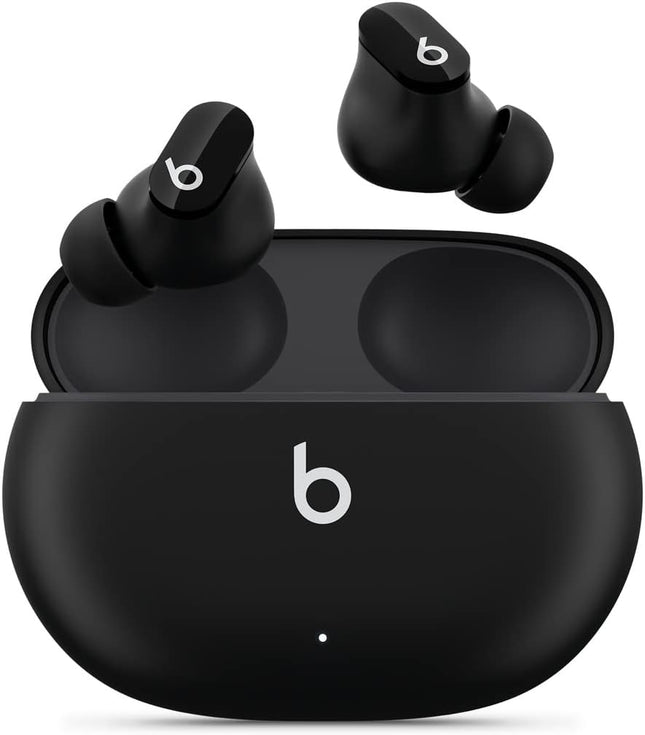
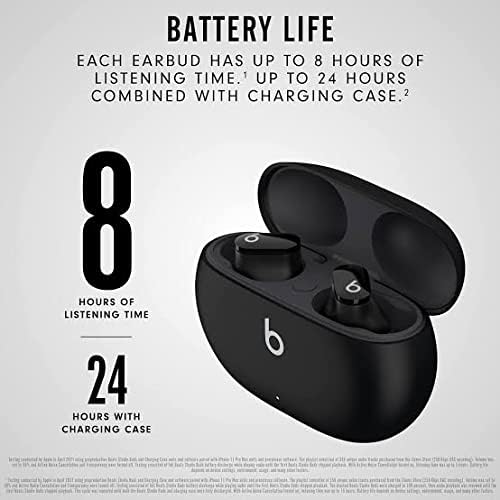
Beats Studio Buds True Wireless Noise Cancelling Earbuds Active Noise Cancelling Black
Beats Studio Buds True Wireless Noise Cancelling Earphones Active Noise Cancelling, IPX4 rating Sweat Resistant Earbuds Compatible with Apple & Android, Class 1 Bluetooth Built in Microphone, Black Custom acoustic platform delivers powerful, balanced sound Control your sound with two distinct listening modes: Active Noise Cancelling (ANC) and Transparency mode Three soft ear tip sizes for a stable and comfortable fit while ensuring an optimum acoustic seal Up to 8 hours of listening time1 (up to 24 hours combined with pocket-sized charging case)2 Industry-leading Class 1 Bluetooth for extended range and fewer dropouts High-quality call performance and voice assistant interaction via built-in microphones IPX4-rated sweat- and water-resistant wireless earbuds. Beats wireless headphones and earphones are compatible with Apple and Android devices What’s in the box – Beats Studio Buds true wireless noise cancelling earphones, charging case, ear tips with three size options, USB-C to USB-C charging cable, Quick Start Guide, warranty card Frequently Asked Questions How do you charge them? Beats Studio Buds can be charged using any standard USB-C cable (one is included). How do you turn them on and off? Beats Studio Buds power on automatically when they are removed from the case, and power off when placed back in the case with the lid closed. Can you control your music? Beats Studio Buds feature a multifunction button on each earbud. Press once to play or pause, twice to skip forwards or three times to skip backwards. How do you control noise cancelling? Hold the multifunction button down to toggle between Active Noise Cancelling (ANC) and Transparency mode. How do I activate Siri or other voice assistants? On Apple devices, you can activate Siri hands-free just by saying “Hey Siri”. Or change the function of the multifunction button to activate your voice assistant within your iOS settings. On Android, download the Beats app to change the function of the multifunction button to activate the default voice assistant on your device. How do I configure the multifunction button? You can configure the multifunction button to either toggle ANC modes or activate voice assistant. To do this in iOS, tap on the product icon in Control Centre and select the “Press and hold” menu to choose your preferred function for each earbud. To do this on Android, download the Beats app from Google Play. Once your product has been paired in the app, select the “Press and hold” menu in the product page to choose your preferred function for each earbud. How long does the battery last for? Beats Studio Buds can provide up to 8 hours of listening time with ANC turned off, or up to 5 hours of listening time with ANC turned on. The case holds two additional charges for a combined total of 24 hours with ANC off, or 15 hours with ANC on. Do they have a microphone? Beats Studio Buds have multiple microphones on each earbud, enabling high-quality call performance. Each earbud has 2 microphones dedicated to ANC and 1 dedicated to voice pick-up. How do I pair with my iPhone? Beats Studio Buds are ready to pair straight out of the box. On an iPhone running the latest iOS, simply open the lid of the case, hold it near your unlocked phone and follow the onscreen instructions. How do I pair with my Android device? On Android, you can pair your product in a single tap using Google Fast Pair. In order to access the feature, you must have Android 6.0 or later, location enabled and access to Google Play Services. If you meet those requirements, simply open the lid of the case, hold it near your unlocked phone and follow the onscreen instructions. You can also pair your product in the standard Bluetooth menu. How do I pair with additional Bluetooth devices? To pair with additional devices, place the earbuds in the case with the lid open. Then hold down the small circular button until the LED begins to flash. Beats Studio Buds are now in pairing mode and can be paired with any standard Bluetooth device. Can I wear just one earbud? Yes, you can use either earbud independently. How waterproof/water resistant are they? Beats Studio Buds are rated IPX4, which means they are resistant to sweat and water splashing from any direction. The case is not sweat or water resistant. How do I keep my product up to date? Software updates will occasionally be made available to enable new features or improve the product experience. These ‘silent’ updates are enabled automatically when connected to an Apple device. To stay up to date on an Android device, download the Beats app from Google Play.
Dhs. 370.00
-
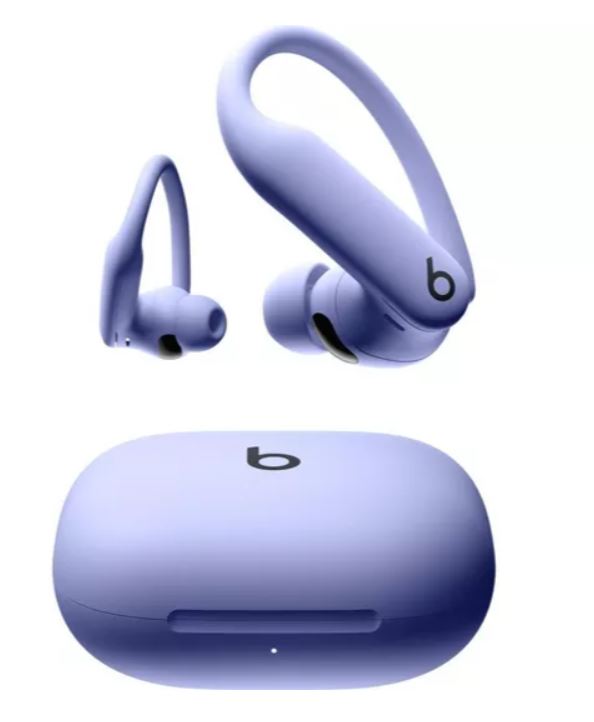
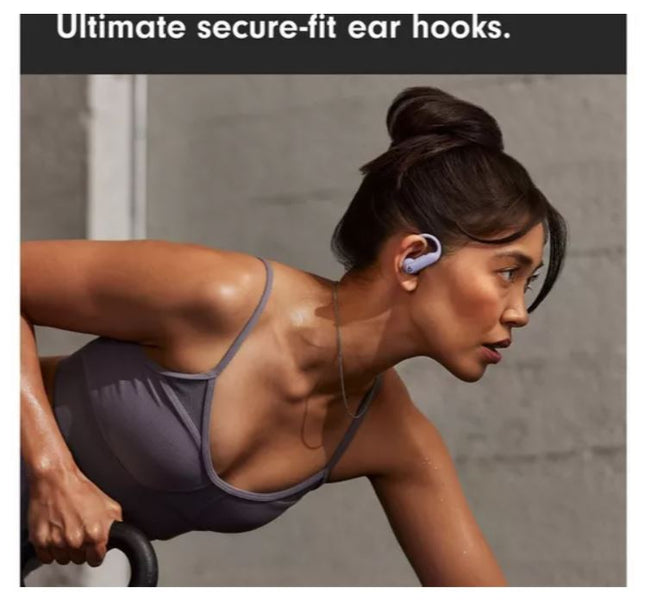
Beats Powerbeats Pro 2 Wireless Bluetooth Earbuds – Noise Cancelling Purple
Beats Powerbeats Pro 2 Wireless Bluetooth Earbuds – Noise Cancelling, Heart-Rate Monitor, IPX4, Up to 45 Hours Battery & Wireless Charging Case, works with Apple & Android- Purple Powerbeats Pro 2 are the most advanced headphones we’ve ever made, with secure-fit ear hooks that stay locked in as you train. With over 1,500 hours of athlete testing to help ensure a secure, comfortable fit for any ear shape and intensity level. For absolute workout focus, we added the best-performing Active Noise Cancelling (ANC) we’ve ever developed, plus Transparency mode to let you hear the world around you, ensuring the best listening experience wherever you train. Heart-rate monitoring sensors pulse over 100 times per second to measure your pulse in real time. And Powerbeats Pro 2 are sweat and water resistant with an IPX4 rating, so they’re tough enough to handle training in rain, snow and heat. Powered by the Apple H2 chip for extraordinary efficiency, Powerbeats Pro 2 deliver up to 45 hours of battery life with the charging case. The case is 33% smaller than its predecessor and is our first ever to feature wireless Qi charging. Compatible with Apple (one-touch pairing, automatic switching, audio sharing, hands-free Siri, Find My) and Android (the Beats App unlocks one-touch pairing, heart-rate monitoring, customisable controls, battery status widgets and Locate My Beats). Adaptive EQ uses advanced microphones to measure what you’re hearing, then adjusts the frequencies of your music to you. Personalized Spatial Audio with dynamic head tracking delivers immersive sound, with clear highs, rich mid-range tones and powerful bass.7 Take calls, FaceTime with Spatial Audio and activate Siri with industry-leading Class 1 Bluetooth connectivity. Each earbud has advanced microphones that have been updated to ensure exceptional call quality. The earbuds' on-ear buttons, tactile volume rockers and voice-activated controls make it easier to focus on training without disrupting your flow. The earhook has been reinforced with a nickel titanium alloy for phenomenal flexibility, grip and comfort, making the next-generation Powerbeats Pro 2 20% lighter than its predecessor. Five ear tip sizes are included for personalized comfort. What’s in the box: Powerbeats Pro 2 earbuds, charging case, quick start guide, warranty card. *USB-C to USB-C charging cable not included.
Dhs. 850.00
-
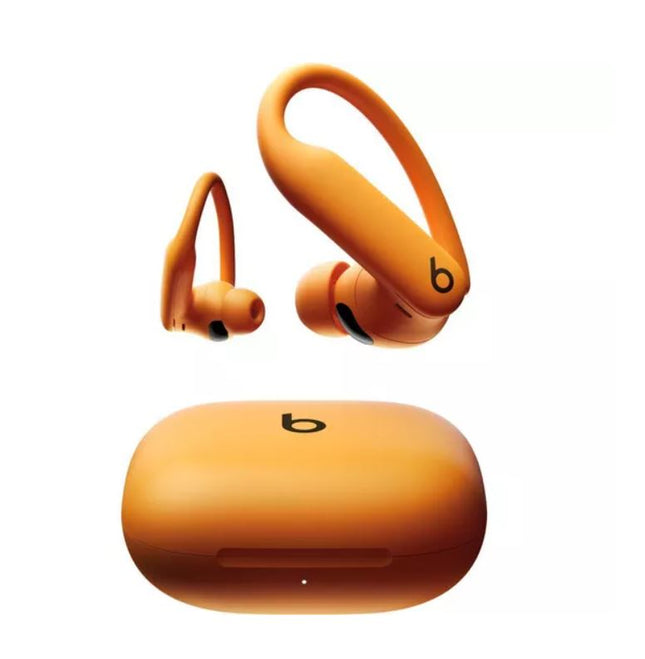
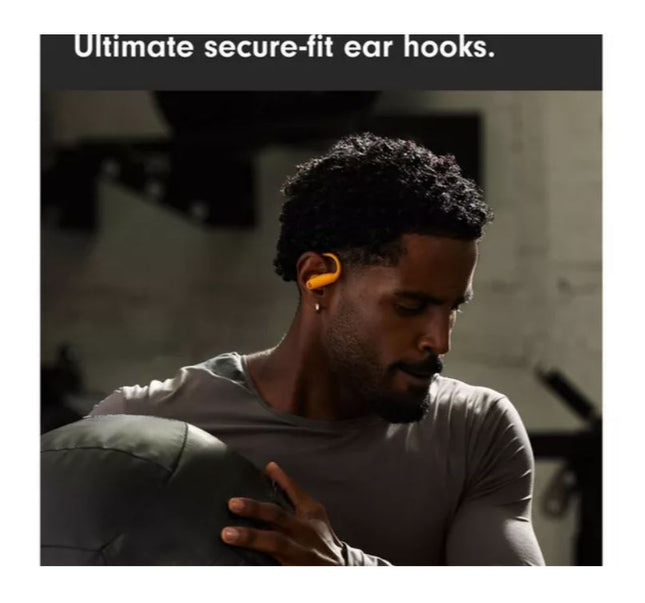
Beats Powerbeats Pro 2 Wireless Bluetooth Earbuds – Noise Cancelling Orange
Beats Powerbeats Pro 2 Wireless Bluetooth Earbuds – Noise Cancelling, Heart-Rate Monitor, IPX4, Up to 45 Hours Battery & Wireless Charging Case, works with Apple & Android- Orange Powerbeats Pro 2 are the most advanced headphones we’ve ever made, with secure-fit ear hooks that stay locked in as you train. With over 1,500 hours of athlete testing to help ensure a secure, comfortable fit for any ear shape and intensity level. For absolute workout focus, we added the best-performing Active Noise Cancelling (ANC) we’ve ever developed, plus Transparency mode to let you hear the world around you, ensuring the best listening experience wherever you train. Heart-rate monitoring sensors pulse over 100 times per second to measure your pulse in real time. And Powerbeats Pro 2 are sweat and water resistant with an IPX4 rating, so they’re tough enough to handle training in rain, snow and heat. Powered by the Apple H2 chip for extraordinary efficiency, Powerbeats Pro 2 deliver up to 45 hours of battery life with the charging case. The case is 33% smaller than its predecessor and is our first ever to feature wireless Qi charging. Compatible with Apple (one-touch pairing, automatic switching, audio sharing, hands-free Siri, Find My) and Android (the Beats App unlocks one-touch pairing, heart-rate monitoring, customisable controls, battery status widgets and Locate My Beats). Adaptive EQ uses advanced microphones to measure what you’re hearing, then adjusts the frequencies of your music to you. Personalized Spatial Audio with dynamic head tracking delivers immersive sound, with clear highs, rich mid-range tones and powerful bass.7 Take calls, FaceTime with Spatial Audio and activate Siri with industry-leading Class 1 Bluetooth connectivity. Each earbud has advanced microphones that have been updated to ensure exceptional call quality. The earbuds' on-ear buttons, tactile volume rockers and voice-activated controls make it easier to focus on training without disrupting your flow. The earhook has been reinforced with a nickel titanium alloy for phenomenal flexibility, grip and comfort, making the next-generation Powerbeats Pro 2 20% lighter than its predecessor. Five ear tip sizes are included for personalized comfort. What’s in the box: Powerbeats Pro 2 earbuds, charging case, quick start guide, warranty card. *USB-C to USB-C charging cable not included.
Dhs. 850.00
-
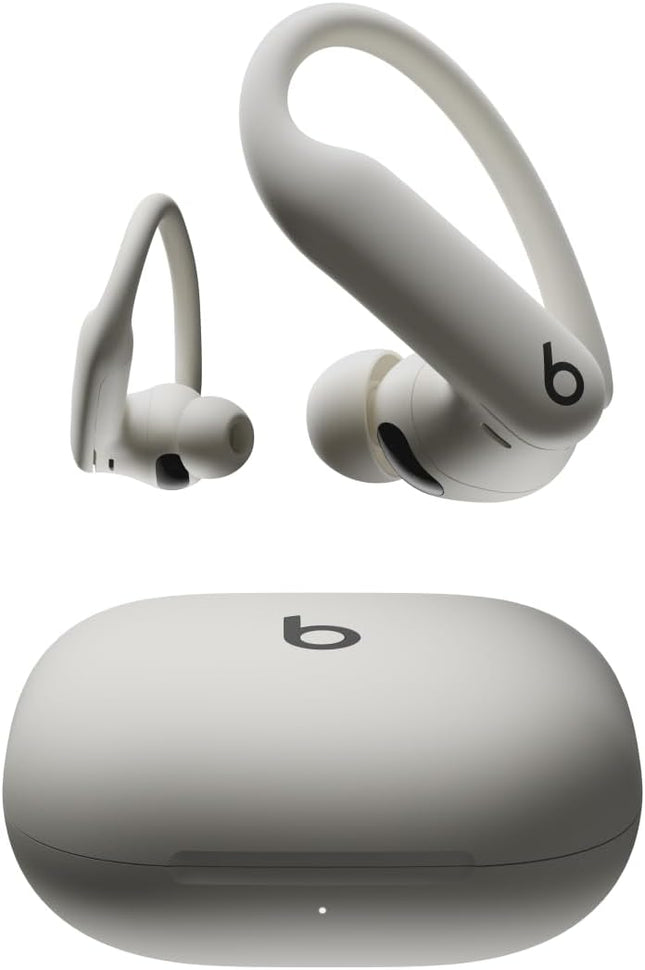
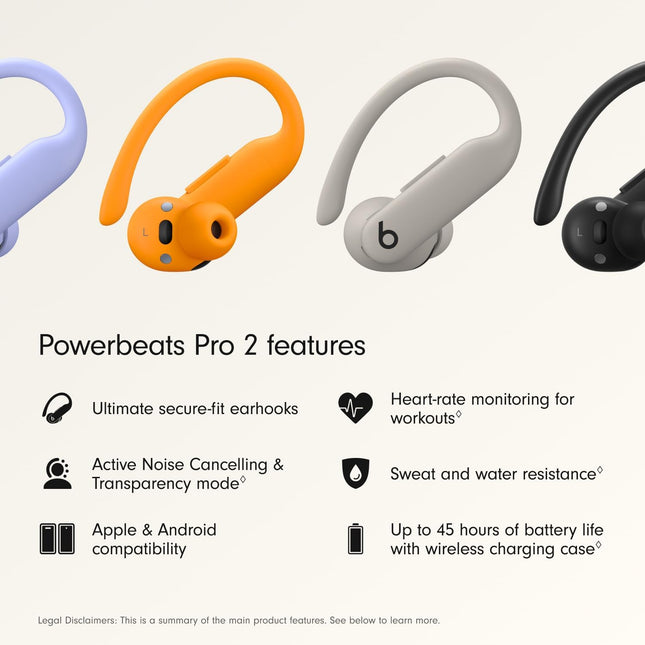
Beats Powerbeats Pro 2 Wireless Bluetooth Earbuds – Noise Cancelling white
Beats Powerbeats Pro 2 Wireless Bluetooth Earbuds – Noise Cancelling, Heart-Rate Monitor, IPX4, Up to 45 Hours Battery & Wireless Charging Case, works with Apple & Android- white Powerbeats Pro 2 are the most advanced headphones we’ve ever made, with secure-fit ear hooks that stay locked in as you train. With over 1,500 hours of athlete testing to help ensure a secure, comfortable fit for any ear shape and intensity level. For absolute workout focus, we added the best-performing Active Noise Cancelling (ANC) we’ve ever developed, plus Transparency mode to let you hear the world around you, ensuring the best listening experience wherever you train. Heart-rate monitoring sensors pulse over 100 times per second to measure your pulse in real time. And Powerbeats Pro 2 are sweat and water resistant with an IPX4 rating, so they’re tough enough to handle training in rain, snow and heat. Powered by the Apple H2 chip for extraordinary efficiency, Powerbeats Pro 2 deliver up to 45 hours of battery life with the charging case. The case is 33% smaller than its predecessor and is our first ever to feature wireless Qi charging. Compatible with Apple (one-touch pairing, automatic switching, audio sharing, hands-free Siri, Find My) and Android (the Beats App unlocks one-touch pairing, heart-rate monitoring, customisable controls, battery status widgets and Locate My Beats). Adaptive EQ uses advanced microphones to measure what you’re hearing, then adjusts the frequencies of your music to you. Personalized Spatial Audio with dynamic head tracking delivers immersive sound, with clear highs, rich mid-range tones and powerful bass.7 Take calls, FaceTime with Spatial Audio and activate Siri with industry-leading Class 1 Bluetooth connectivity. Each earbud has advanced microphones that have been updated to ensure exceptional call quality. The earbuds' on-ear buttons, tactile volume rockers and voice-activated controls make it easier to focus on training without disrupting your flow. The earhook has been reinforced with a nickel titanium alloy for phenomenal flexibility, grip and comfort, making the next-generation Powerbeats Pro 2 20% lighter than its predecessor. Five ear tip sizes are included for personalized comfort. What’s in the box: Powerbeats Pro 2 earbuds, charging case, quick start guide, warranty card. *USB-C to USB-C charging cable not included.
Dhs. 850.00
-
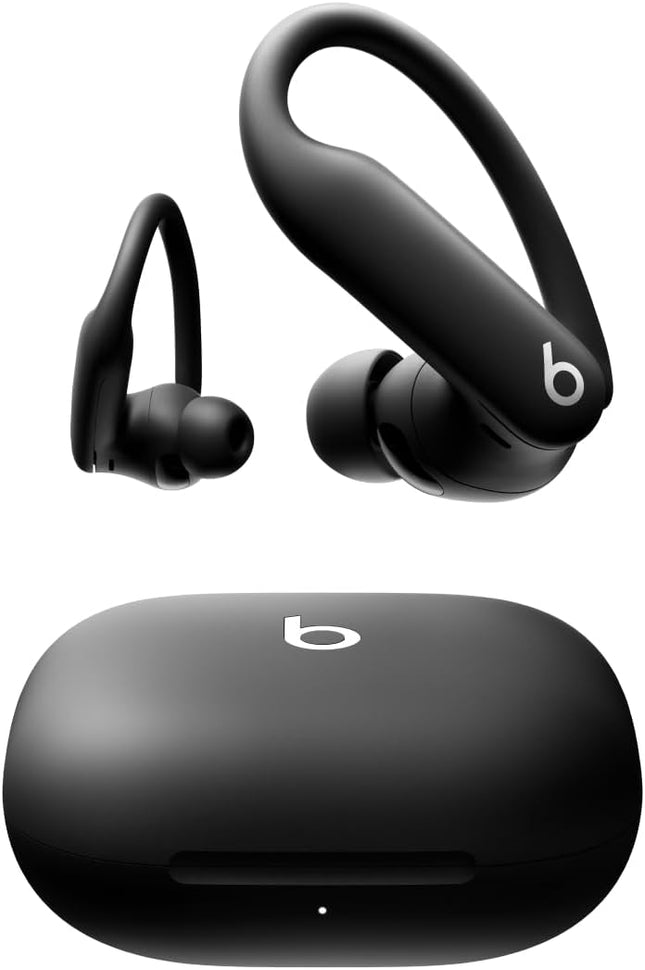
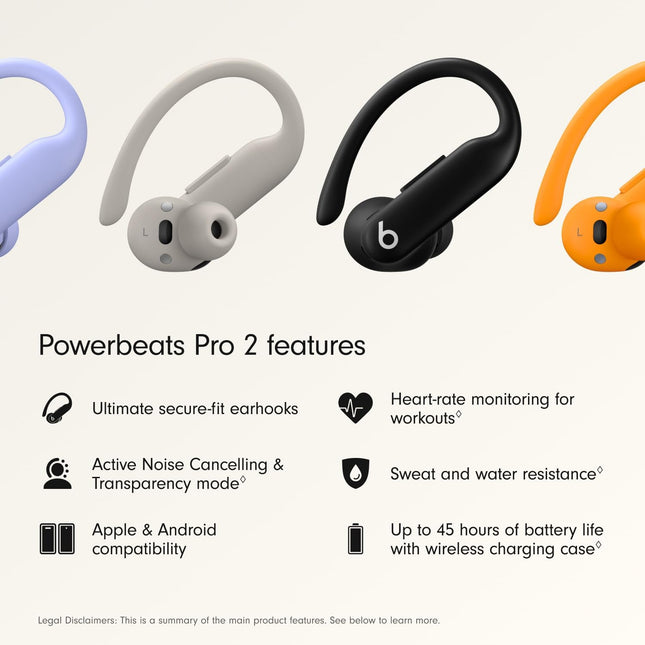
Beats Powerbeats Pro 2 Wireless Bluetooth Earbuds – Noise Cancelling Black
Beats Powerbeats Pro 2 Wireless Bluetooth Earbuds – Noise Cancelling, Heart-Rate Monitor, IPX4, Up to 45 Hours Battery & Wireless Charging Case, works with Apple & Android- Jet Black Powerbeats Pro 2 are the most advanced headphones we’ve ever made, with secure-fit ear hooks that stay locked in as you train. With over 1,500 hours of athlete testing to help ensure a secure, comfortable fit for any ear shape and intensity level. For absolute workout focus, we added the best-performing Active Noise Cancelling (ANC) we’ve ever developed, plus Transparency mode to let you hear the world around you, ensuring the best listening experience wherever you train. Heart-rate monitoring sensors pulse over 100 times per second to measure your pulse in real time. And Powerbeats Pro 2 are sweat and water resistant with an IPX4 rating, so they’re tough enough to handle training in rain, snow and heat. Powered by the Apple H2 chip for extraordinary efficiency, Powerbeats Pro 2 deliver up to 45 hours of battery life with the charging case. The case is 33% smaller than its predecessor and is our first ever to feature wireless Qi charging. Compatible with Apple (one-touch pairing, automatic switching, audio sharing, hands-free Siri, Find My) and Android (the Beats App unlocks one-touch pairing, heart-rate monitoring, customisable controls, battery status widgets and Locate My Beats). Adaptive EQ uses advanced microphones to measure what you’re hearing, then adjusts the frequencies of your music to you. Personalized Spatial Audio with dynamic head tracking delivers immersive sound, with clear highs, rich mid-range tones and powerful bass.7 Take calls, FaceTime with Spatial Audio and activate Siri with industry-leading Class 1 Bluetooth connectivity. Each earbud has advanced microphones that have been updated to ensure exceptional call quality. The earbuds' on-ear buttons, tactile volume rockers and voice-activated controls make it easier to focus on training without disrupting your flow. The earhook has been reinforced with a nickel titanium alloy for phenomenal flexibility, grip and comfort, making the next-generation Powerbeats Pro 2 20% lighter than its predecessor. Five ear tip sizes are included for personalized comfort. What’s in the box: Powerbeats Pro 2 earbuds, charging case, quick start guide, warranty card. *USB-C to USB-C charging cable not included.
Dhs. 875.00
-
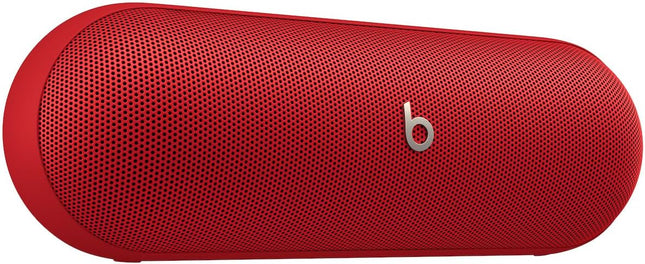
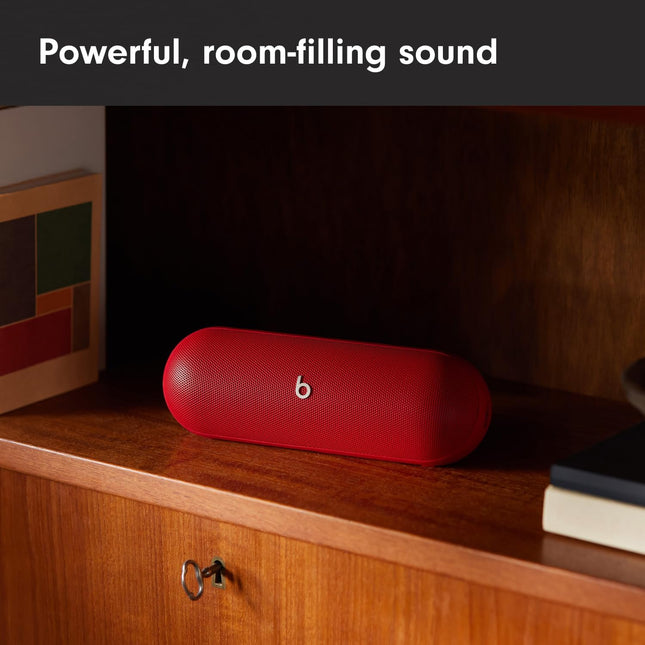
Beats Pill – Wireless Bluetooth Speaker and Portable Charger Red
Beats Pill – Wireless Bluetooth Speaker and Portable Charger via USB-C – Up to 24 Hours Battery Life, IP67 Water Resistant, Apple & Android Compatible, Built-in Microphone – Statement Red The Beats Pill delivers powerful, room-filling sound. The bigger, bespoke racetrack woofer displaces 90% more air volume, packing more of a punch with deeper, fuller bass The Beats Pill has up to 24 hours of battery life for all-day playback and can be used to charge your phone or other devices via USB-C cable The portable speaker is IP67 rated for dust and water resistance for outstanding durability and includes a removable lanyard and soft-grip silicone backing to make it easy to take with you The redesigned twitter provides extra stability for crisp highs and rich mid-range tones while the woofer’s material and structure help minimise low-end distortion, even at high volumes Enjoy high-resolution lossless audio from your Beats Pill by connecting it to your laptop or other compatible devices via the USB-C cable Easily pair two Beats Pill speakers for twice the output experience in Amplify mode or Stereo mode Apple and Android compatibility – including instant one-touch pairing and automatic pairing across your other devices, plus Find My or Find My Device Take calls and activate your voice assistant directly from a paired Beats Pill Frequently Asked Questions What devices is the Beats Pill compatible with? The Pill is compatible with iOS, Android, and compatible Bluetooth devices. How do I pair my Pill speaker? The Beats Pill“s dual compatibility for both iOS and Android enables one-touch Bluetooth® pairing. To pair your Pill, hold the speaker near an unlocked device, then press and hold the power button until the LED light blinks white and you hear an audio cue. When your device is connected, you will hear a second audio cue indicating that your Pill is ready to play. How do the on-device controls work? Press the Center Button to pause or play your music. Press the Center Button twice to skip to the next track and press three times to go back to the previous track. To raise and lower the volume, use the Plus and Minus Buttons. Can I pair multiple speakers together? Sync two Beats Pill speakers in Amplify Mode by pressing and holding both Center Buttons. A blue light on each speaker will indicate that they are synced.To toggle from Amplify Mode to Stereo Mode, simultaneously press and hold one of the two synced speaker’s Center and Plus Buttons.Stereo Mode turns two synced speakers into dedicated left and right outputs for a surround sound feel. How long does the battery last? The Beats Pill has up to 24 hours of battery life. If you’re low on power, Fast Fuel means a 10-minute charge gives up to 5 hours of playback. To check battery life, give the Power Button a quick press. A green light indicates the Pill has enough power; a red light means the battery is low. Is my speaker water-resistant? Yes, the Pill is IP67-rated to keep dust and water out. At the pool, at the beach, in the rain —the Beats Pill is protected by enhanced internal seals. Does my speaker have a mic? Yes, the Pill has a microphone and can be used as a speakerphone for calls. When your Pill is paired, use the Center Button to answer, mute, or reject a call. Press the Center Button once to answer and end a call and press twice to decline a call. Can I use my Voice Assistant with my Pill? Yes, press the Power Button twice to activate Siri or your Google Assistant while the Pill is paired to your device. How do I charge my speaker? You can charge your speaker with the USB-C to USB-C cable that is included in the box. You can also use your Pill to charge your phone or other devices via the USB-C cable.
Dhs. 599.00
-
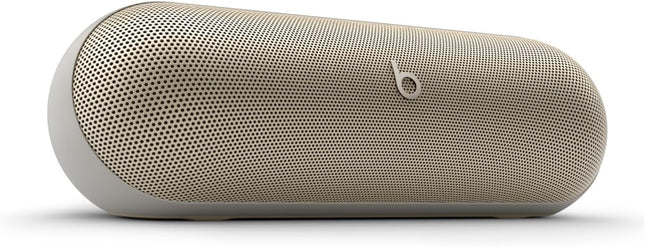
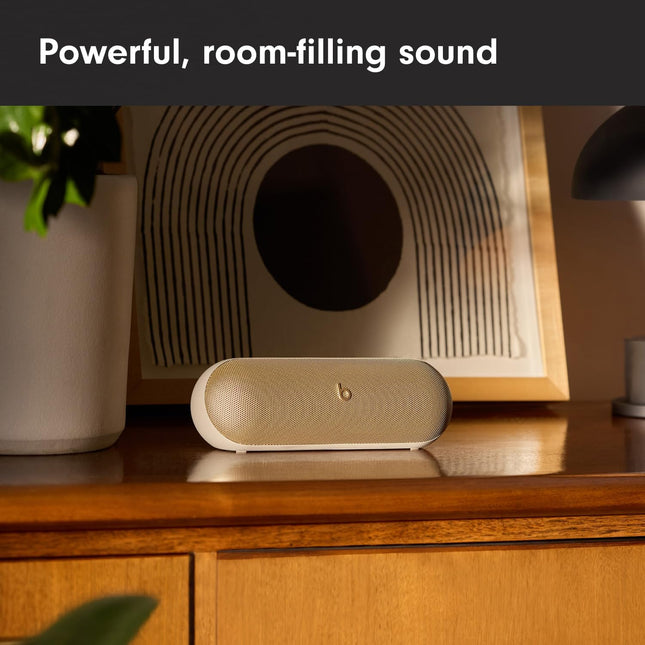
Beats Pill – Wireless Bluetooth Speaker and Portable Charger Gold
Beats Pill – Wireless Bluetooth Speaker and Portable Charger via USB-C – Up to 24 Hours Battery Life, IP67 Water Resistant, Apple & Android Compatible, Built-in Microphone – Champagne Gold The Beats Pill delivers powerful, room-filling sound. The bigger, bespoke racetrack woofer displaces 90% more air volume, packing more of a punch with deeper, fuller bass The Beats Pill has up to 24 hours of battery life for all-day playback and can be used to charge your phone or other devices via USB-C cable The portable speaker is IP67 rated for dust and water resistance for outstanding durability and includes a removable lanyard and soft-grip silicone backing to make it easy to take with you The redesigned twitter provides extra stability for crisp highs and rich mid-range tones while the woofer’s material and structure help minimise low-end distortion, even at high volumes Enjoy high-resolution lossless audio from your Beats Pill by connecting it to your laptop or other compatible devices via the USB-C cable Easily pair two Beats Pill speakers for twice the output experience in Amplify mode or Stereo mode Apple and Android compatibility – including instant one-touch pairing and automatic pairing across your other devices, plus Find My or Find My Device Take calls and activate your voice assistant directly from a paired Beats Pill Frequently Asked Questions What devices is the Beats Pill compatible with? The Pill is compatible with iOS, Android, and compatible Bluetooth devices. How do I pair my Pill speaker? The Beats Pill“s dual compatibility for both iOS and Android enables one-touch Bluetooth® pairing. To pair your Pill, hold the speaker near an unlocked device, then press and hold the power button until the LED light blinks white and you hear an audio cue. When your device is connected, you will hear a second audio cue indicating that your Pill is ready to play. How do the on-device controls work? Press the Center Button to pause or play your music. Press the Center Button twice to skip to the next track and press three times to go back to the previous track. To raise and lower the volume, use the Plus and Minus Buttons. Can I pair multiple speakers together? Sync two Beats Pill speakers in Amplify Mode by pressing and holding both Center Buttons. A blue light on each speaker will indicate that they are synced.To toggle from Amplify Mode to Stereo Mode, simultaneously press and hold one of the two synced speaker’s Center and Plus Buttons.Stereo Mode turns two synced speakers into dedicated left and right outputs for a surround sound feel. How long does the battery last? The Beats Pill has up to 24 hours of battery life. If you’re low on power, Fast Fuel means a 10-minute charge gives up to 5 hours of playback. To check battery life, give the Power Button a quick press. A green light indicates the Pill has enough power; a red light means the battery is low. Is my speaker water-resistant? Yes, the Pill is IP67-rated to keep dust and water out. At the pool, at the beach, in the rain —the Beats Pill is protected by enhanced internal seals. Does my speaker have a mic? Yes, the Pill has a microphone and can be used as a speakerphone for calls. When your Pill is paired, use the Center Button to answer, mute, or reject a call. Press the Center Button once to answer and end a call and press twice to decline a call. Can I use my Voice Assistant with my Pill? Yes, press the Power Button twice to activate Siri or your Google Assistant while the Pill is paired to your device. How do I charge my speaker? You can charge your speaker with the USB-C to USB-C cable that is included in the box. You can also use your Pill to charge your phone or other devices via the USB-C cable.
Dhs. 599.00
-
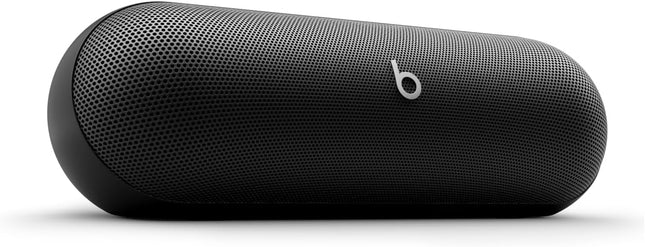
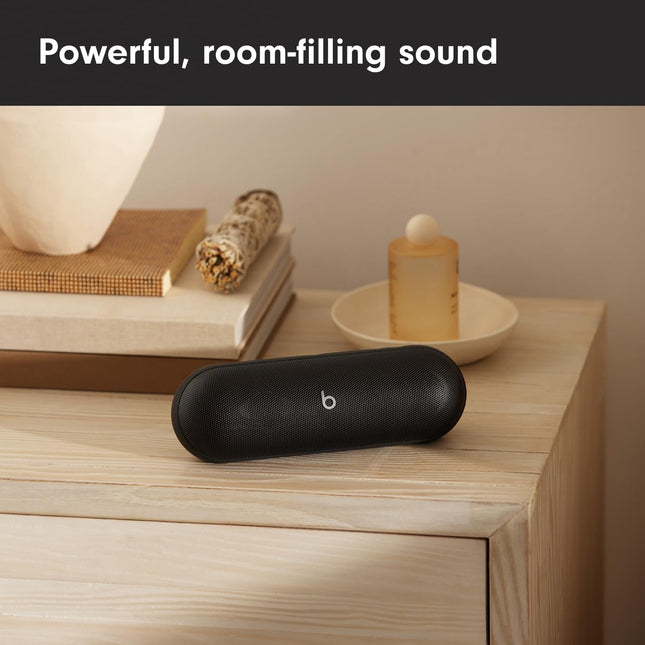
Beats Pill – Wireless Bluetooth Speaker and Portable Charger Black
Beats Pill – Wireless Bluetooth Speaker and Portable Charger via USB-C – Up to 24 Hours Battery Life, IP67 Water Resistant, Apple & Android Compatible, Built-in Microphone – Matte Black The Beats Pill delivers powerful, room-filling sound. The bigger, bespoke racetrack woofer displaces 90% more air volume, packing more of a punch with deeper, fuller bass The Beats Pill has up to 24 hours of battery life for all-day playback and can be used to charge your phone or other devices via USB-C cable The portable speaker is IP67 rated for dust and water resistance for outstanding durability and includes a removable lanyard and soft-grip silicone backing to make it easy to take with you The redesigned twitter provides extra stability for crisp highs and rich mid-range tones while the woofer’s material and structure help minimise low-end distortion, even at high volumes Enjoy high-resolution lossless audio from your Beats Pill by connecting it to your laptop or other compatible devices via the USB-C cable Easily pair two Beats Pill speakers for twice the output experience in Amplify mode or Stereo mode Apple and Android compatibility – including instant one-touch pairing and automatic pairing across your other devices, plus Find My or Find My Device Take calls and activate your voice assistant directly from a paired Beats Pill Frequently Asked Questions What devices is the Beats Pill compatible with? The Pill is compatible with iOS, Android, and compatible Bluetooth devices. How do I pair my Pill speaker? The Beats Pill“s dual compatibility for both iOS and Android enables one-touch Bluetooth® pairing. To pair your Pill, hold the speaker near an unlocked device, then press and hold the power button until the LED light blinks white and you hear an audio cue. When your device is connected, you will hear a second audio cue indicating that your Pill is ready to play. How do the on-device controls work? Press the Center Button to pause or play your music. Press the Center Button twice to skip to the next track and press three times to go back to the previous track. To raise and lower the volume, use the Plus and Minus Buttons. Can I pair multiple speakers together? Sync two Beats Pill speakers in Amplify Mode by pressing and holding both Center Buttons. A blue light on each speaker will indicate that they are synced.To toggle from Amplify Mode to Stereo Mode, simultaneously press and hold one of the two synced speaker’s Center and Plus Buttons.Stereo Mode turns two synced speakers into dedicated left and right outputs for a surround sound feel. How long does the battery last? The Beats Pill has up to 24 hours of battery life. If you’re low on power, Fast Fuel means a 10-minute charge gives up to 5 hours of playback. To check battery life, give the Power Button a quick press. A green light indicates the Pill has enough power; a red light means the battery is low. Is my speaker water-resistant? Yes, the Pill is IP67-rated to keep dust and water out. At the pool, at the beach, in the rain —the Beats Pill is protected by enhanced internal seals. Does my speaker have a mic? Yes, the Pill has a microphone and can be used as a speakerphone for calls. When your Pill is paired, use the Center Button to answer, mute, or reject a call. Press the Center Button once to answer and end a call and press twice to decline a call. Can I use my Voice Assistant with my Pill? Yes, press the Power Button twice to activate Siri or your Google Assistant while the Pill is paired to your device. How do I charge my speaker? You can charge your speaker with the USB-C to USB-C cable that is included in the box. You can also use your Pill to charge your phone or other devices via the USB-C cable.
Dhs. 630.00


